Instruction for use Examination and treatment table Easy Care
** Depending on model and configuration
D2151_01 - 09/2017 22/38
7. User settings and extended functions
7.1 User settings
With the "user settings" the radiant warmer can be adapted to specific
situations and user's requirements.
To make user settings, the device must not expect an input; i.e. the
information lamp (10) must not flash. By longer pressing (approx.
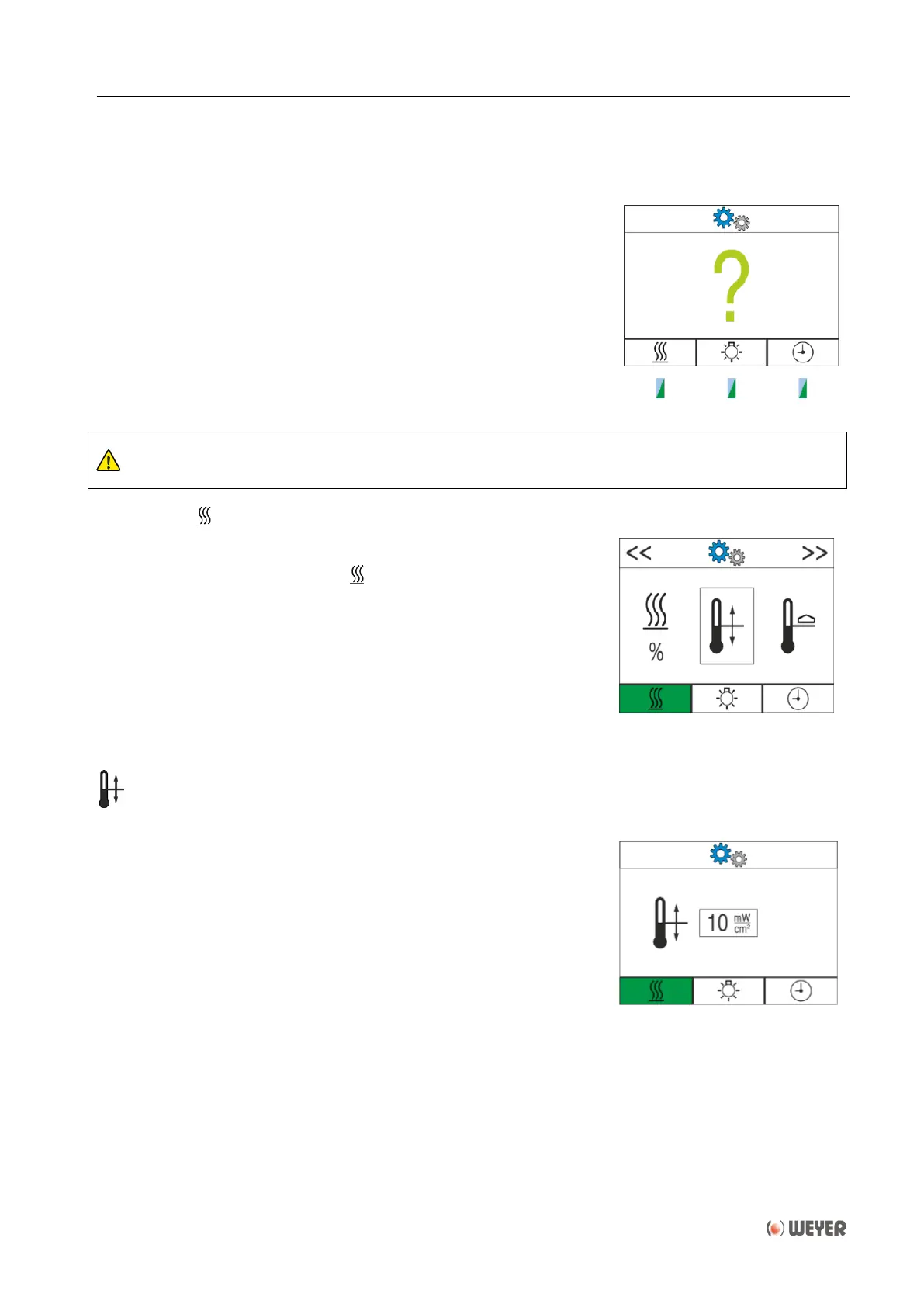
3 seconds) the rotary push-button (5) the menu for the user settings is
opened. The display shows a big green question mark and the pilot lamps
(6) (7) (8) flash.
Select the function that shall be adjusted by pressing keys 1 to 3.
Exit of the user settings is possible at all times by pressing button alarm
pause (4).
Only persons who are familiar with the use of the device should change the settings.
7.2 Heating
By pressing the left-hand key (1) the user settings for the heating appear.
The background of the key legend for the heating (11.1) is coloured
green.
When turning the rotary push-button (5) the various selections are shown
in a frame in the centre of the display.
The selection is resumed by pushing the rotary push-button (5).
The following adjustments can be made:
Adjustment of default value
The default value for the heating can be adjusted by turning the
rotary push-button (5) and resumed by pressing.
When switching on the heating the next time this value will be
suggested as default value.
Furthermore during automatic intensity reduction the intensity will
be reduced to that value.
The adjustment range will be 2 to 10 mW/cm², respectively 10 to
40%.
After confirmation the display will return to the main menu.


 To Next Page