Instruction for use Examination and treatment table Easy Care
** Depending on model and configuration
D2151_01 - 09/2017 25/38
Operation of the stop watch
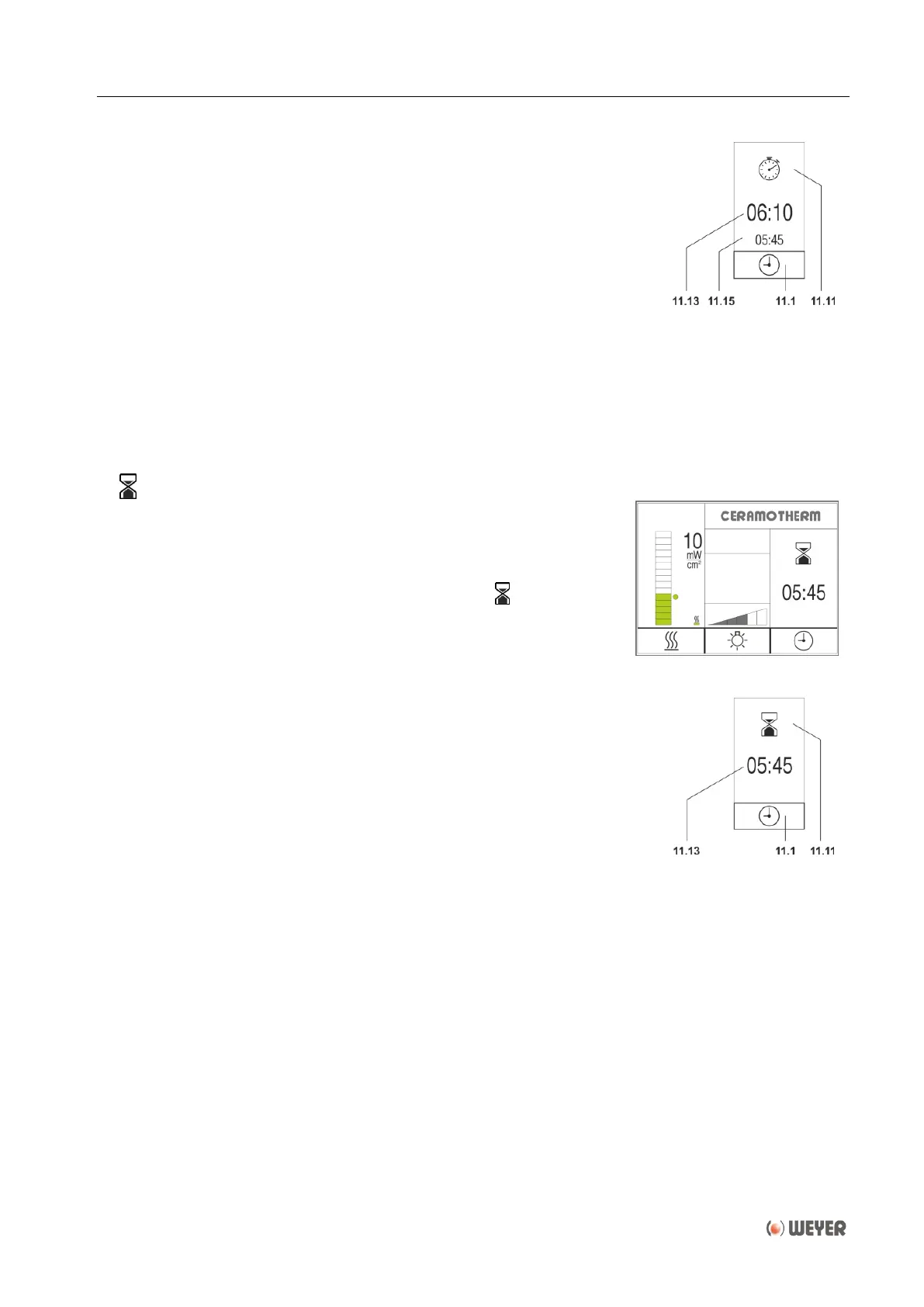
By pressing the right-hand key (3), the time display (11.13) of the
stop watch begins to count upwards in steps of seconds. The green
pilot lamp (8) above the key lights up.
By pressing the right-hand key (3) again, the time is stopped. The
stopped time and the pilot lamp (8) flash.
When the stop watch shall continue counting, key (3) must be
pressed again. The time display (11.13) and the pilot lamp (8) stop
flashing and the timer display (11.13) runs upwards with the time
counted further in the background. The lastly stopped time is shown
as split time (11.15) below the time display (11.13). This procedure
can be repeated as often as required.
In order to reset the stop watch, press key (3) for approx. 3 seconds.
Then the pilot lamp (8) extinguishes and the time display (11.13) is
reset to "00:00“.
After 60 minutes the stop watch stops automatically.
By selecting and conforming this menu item the timer mode
will change to countdown timer.
After confirmation the display will return to the main menu.
The timer display (11.11) will show the symbol .
Operation of the countdown timer
By pressing the right-hand key (3), the time display (11.13) of the
countdown timer begins to count downwards in steps of seconds,
starting at the selected countdown time. The green pilot lamp (8)
above the key lights up.
When the countdown time has elapsed, both the pilot lamp (8) and
the elapsed time display (11.3) flash. At the same time a signal
sounds once, consisting of 5 tones.
The countdown can be stopped by pressing the right-hand key (3)
and continued with the indicated balance time by pressing the right-
hand key (3) again. During the interruption the time display (11.13)
and the pilot lamp (8) flash.
In order to reset the elapsed or stopped countdown time, press
key (3) for approx. 3 seconds. Then the pilot lamp (8) extinguishes
and the time display (11.13) is reset to the selected countdown time.
The countdown time has an adjustment range of 10 seconds to 60
minutes. For adjusting the countdown time, first of all take care that
the countdown time has been reset, so the pilot lamp (8) should not
flash or light. When pressing key (3) for approx. 3 seconds the
minutes of the time display begin to flash and can then be adjusted
with the rotary push-button (5) and confirmed by pressing. Thereafter
the seconds of the time display will flash and can be adjusted and
confirmed in the same way.


 To Next Page