8
MIC – Edit 1
F X I N S E R T
G E Q 1
Reverb 2Delay 2
Delay 1Modul 2
Reverb 1
Modul 1
L / RGROUP3GROUP2GROUP1 AUX4AUX3AUX2
PREPREPREPRE
POSTPRE
GROUP4
PRE
50 5050 5050 5050 50
0.0 dB0.0 dB0.0 dB0.0 dB0.0 dB0.0 dB0.0 dB0.0 dB0.0 dB
0 0 0 0 0 0 0 0 0
G E Q 2
0 0 0 0 0 0 0 0 0
AUX1
PRE
0.0 dB
M I C 3 - E d it
Edit
E Q
COMP C O P Y L I N K
MIC3&4
POST
P ha s e
Φ
PA N
50 50
Rename
ON
4 8 V
D elay
8.3 ms
G a in
10dB
L R
1 2 3
4
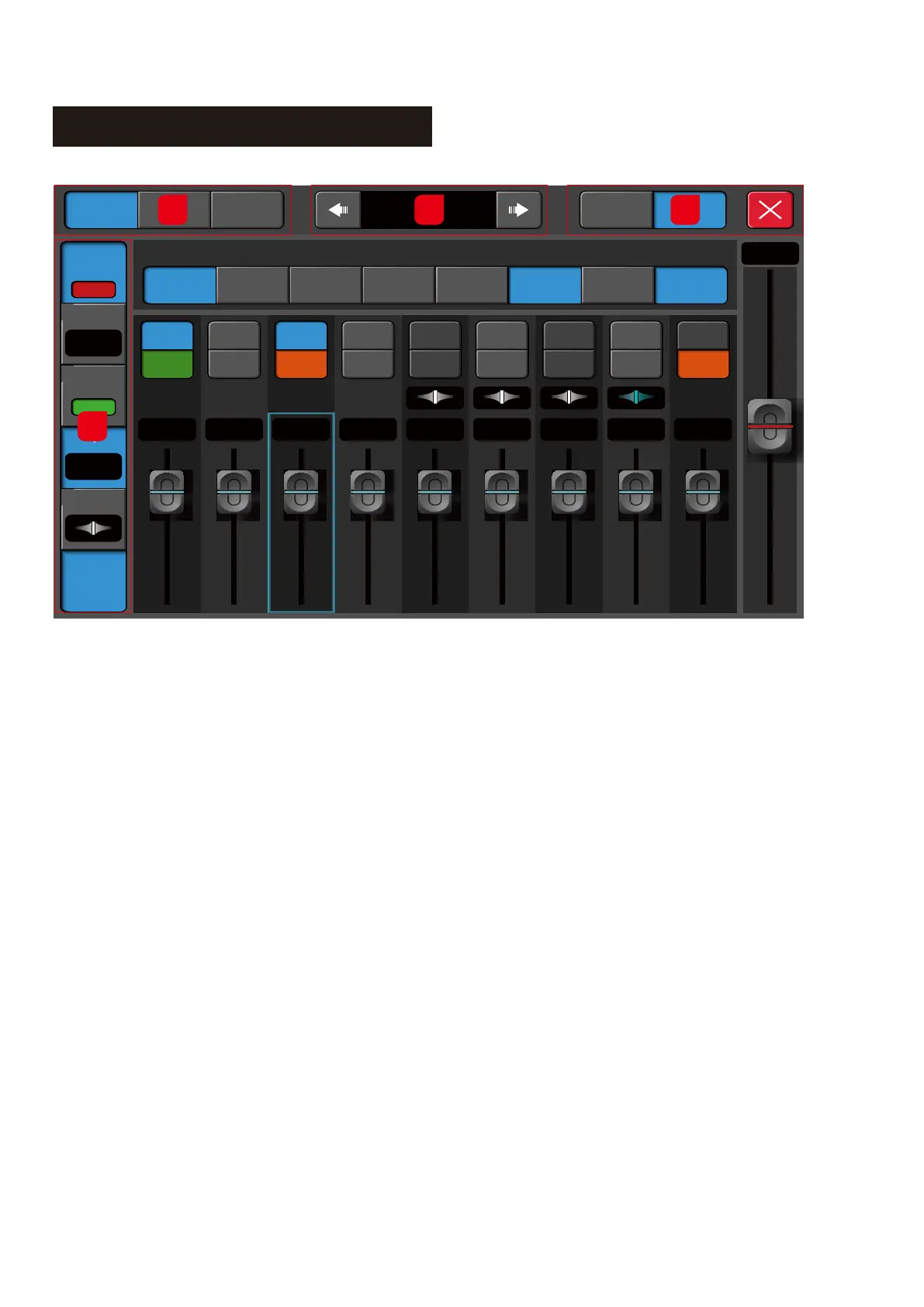
1. Edit/EQ/COMM
1.1. Edit - Navigate to the channel configuration page
1.2. EQ – Navigate to the channel EQ configuration page
1.3. COMM – Navigate to the channel Side Chain, Gate, Compressor configuration page.
2. Channel Navigation
Navigate to other channels - without closing and re-opening the setup page.
3. Copy or Link Channel
3.1. Copy - Enable the user to copy the entire channel setting over to another channel.
3.2. Link Channel:
a. Tap once to link horizontal (Left & Right) E.g Ch 1 & 2, 3 & 4
b. Tap twice to link horizontally (Top and Bottom), E.g Ch 1 & 9, 2 & 10
4. 48V/Phase/Delay/Pan/Rename
4.1. 48V - 48V Phantom On/Off. The default is Off. This function is used to supply 48V power to a condenser
microphone or some other device that needs to be powered.
4.2. Phase - Inverts the input signal by 180 degrees when it On. The default is Off.
4.3. Delay -Tap to select and use the physical large Rotary encoder or the on-screen fader on the right to
adjust the Delay value. The delay range is from 0.0 ms to 200 m
4.4. Pan - Tap to select and use the Rotary encoder or the on-screen fader on the right to adjust the Pan value.
4.5. Rename - Tap to enter a new name for the channel.



 To Next Page