18
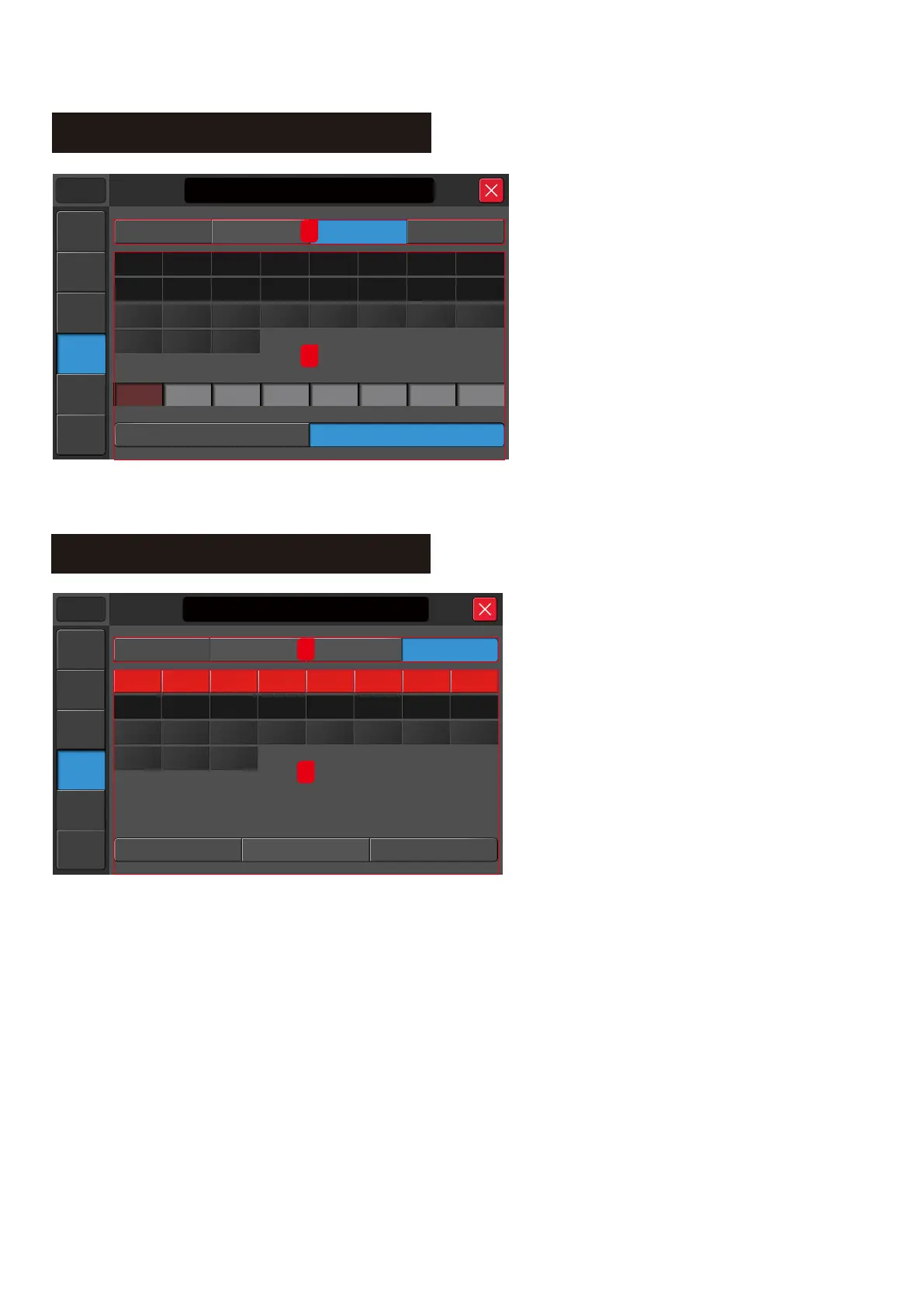
Setup – Define Layer
Manual
Meters
Setup
Player
Scenes
System
21:20:30 2016/12/18
Music Show
DIGI
Defined L ayer
FX A ss ign
Mute G roup
Output P atch
USB L&R
Strip 1
MIC 1
Strip 2
MIC 2
Strip 3
MIC 3
Strip 4
MIC 4
Strip 5
MIC 5
Strip 6
MIC 6
Strip 7
L
Strip 8
R
Defined L ayer
Clear
GROUP1
AUX3AUX2 AUX4 GROUP2 GROUP3 GROUP4AUX1
MIC5
MIC3MIC2 MIC4 MIC6 MIC7 MIC8MIC1
MIC13MIC11
MIC10 MIC12 MIC14
MIC15
MIC16
MIC9
1
2
The M16 system provides a User Define layer
option to allow the user to customise a page with
8 channels. The User Define layer can be made
up of a combination of inputs and outputs.
1. Assignment type
Configuration the FX, Output patch, Custom layer
or Mute group
2. Assignment section
2.1. Tap the Defined Layer button at the bottom
to enable the editing mode.
2.2. Select an input/output
2.3. Tap the output box to assign the selected
channel to the selected position
Note:
Editing mode enable only if the “Defined Layer” button is enabled. The default is disabled.
Manual
Meters
Setup
Player
Scenes
System
21:20:30 2016/12/18
Music Show
FX A ss ign
Output P atch Defined L ayer
Mute G roup
Mute G roup Mute A LL
Clear
MIC6MIC1 MIC2 MIC3 MIC4 MIC5 MIC7 MIC8
DIGI USB L&R
GROUP1
AUX3AUX2 AUX4 GROUP2 GROUP3 GROUP4AUX1
MIC13MIC11
MIC10 MIC12 MIC14
MIC15
MIC16
MIC9
1
2
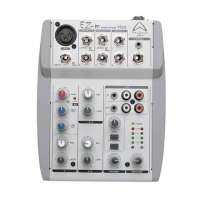
The Mute button will mute ALL input and output channels when pressed
in its default setting. The user has the option to customise the mute group.
1. Assignment type
Configuration the FX, Output patch, Custom layer or Mute group
2. Assignment section
2.1. Tap the Mute Group button at the bottom to enable the editing mode.
2.2. Select the input/output to mute or unmute
2.3. Mute All
System will select all inputs/outputs when tapped
2.4. Clear
Clear the current selection.
Setup – Mute Group



 To Next Page