21
FX-GEQ
GE Q 1
21:20:30 2016/12/18
Music Show
+18
0
-18
Bypass
Flat
17 - 2 3
000000000000000 0
5004003152502001601251008063504031.52520 630
9 - 1 6
23 - 3 11 - 8
Manual
Meters
Scenes
System
Player
Setup
0.0 dB
Library
1
2
3
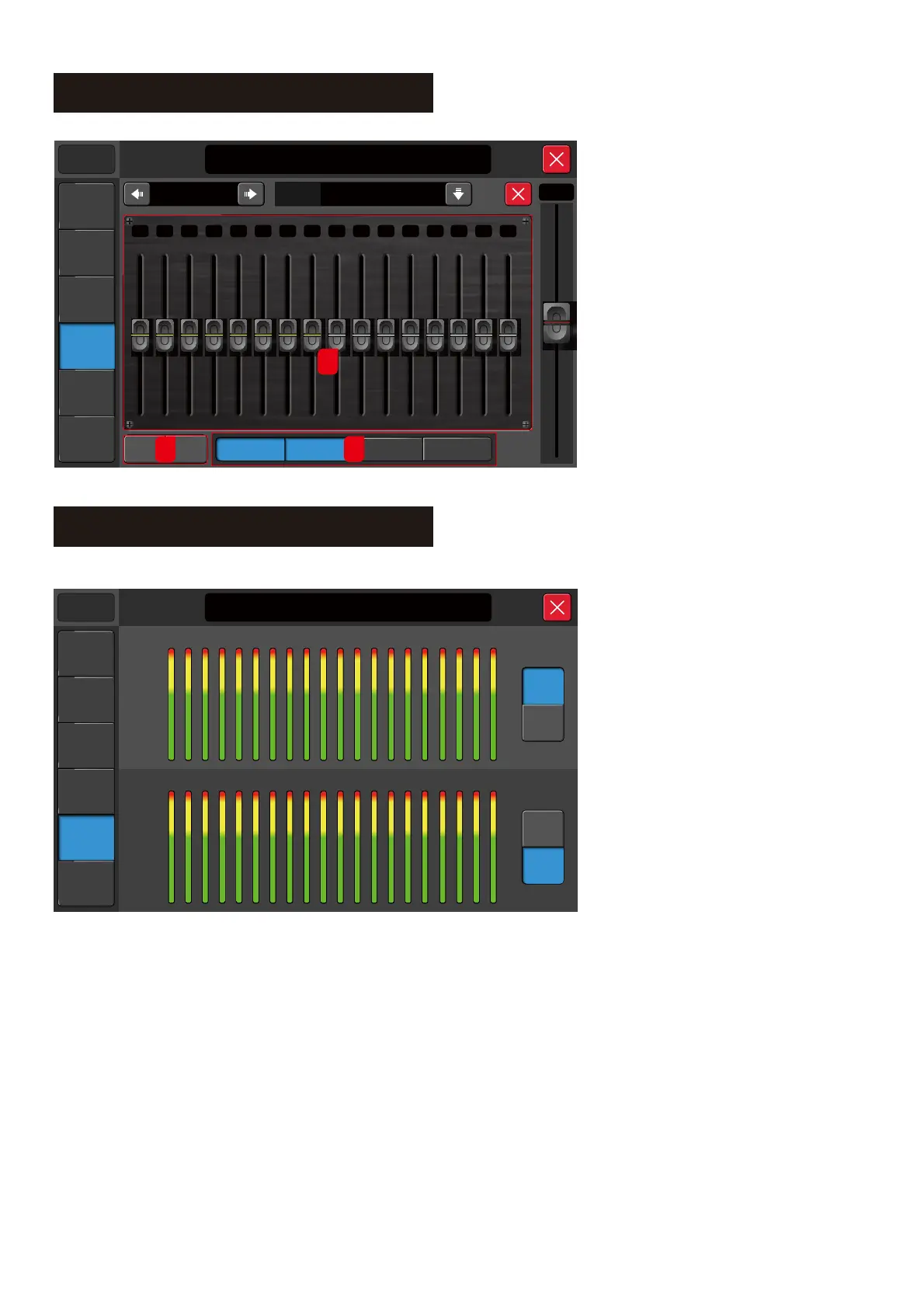
1. The level of all frequencies are set
to 0dB by default. Use either the
on-screen fader or the mixer fader to
adjust the value.
2. ByPass/Flat
2.1. ByPass
Tap this button to ByPass or cancel ByPass
2.2. Flat
Reset all frequencies level back to 0 dB.
3. 31-band GEQ selection button
Tap this button to set the mixer fader to
correspond to the GEQ section.
System – Meters
Monitor
+12
0
-12
-24
-36
-48
-60
A1
A2
A3
A4
G1
G2OUT
1 2
3
4
5
6 7 8 9 10
11 12
+12
0
-12
-24
-36
-48
-60
IN
13 14 15 16
Manual
Meters
Scenes
System
Player
21:20:30 2016/12/18
Music Show
Setup
DIGI USB
DIGI USB
G3
G4
L/R
POST
PRE
POST
PRE
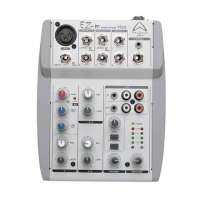
1. Meter Level View
2. There are two sections in this page:
2.1. Input and output meter.
3. There are two modes for each section.
3.1. Pre fader meter view.
3.2. Post fader meter view.
The Input and Output channel page meter display changes according to the settings made here.



 To Next Page