16
Setup - Multimedia
FX
Patch
USB TO BUS
SystemAdele
0.0 d B
Fader
-10.0 d B
13:01
Record Play
Adele-Someone like you
Adele-Skyfall
GROUP4
GROUP3
L&R
Adele-Rolling inthe deep
Adele - Someone like you
02:35 / 04:45
Manual
Meters
System
Scenes
Player
US B
DIG I
21:20:30 2017/12/18
Music Show
Trim
Setup
SOLO
MUTE
GROUP1
GROUP2
0.0
dB
1 2 3
4
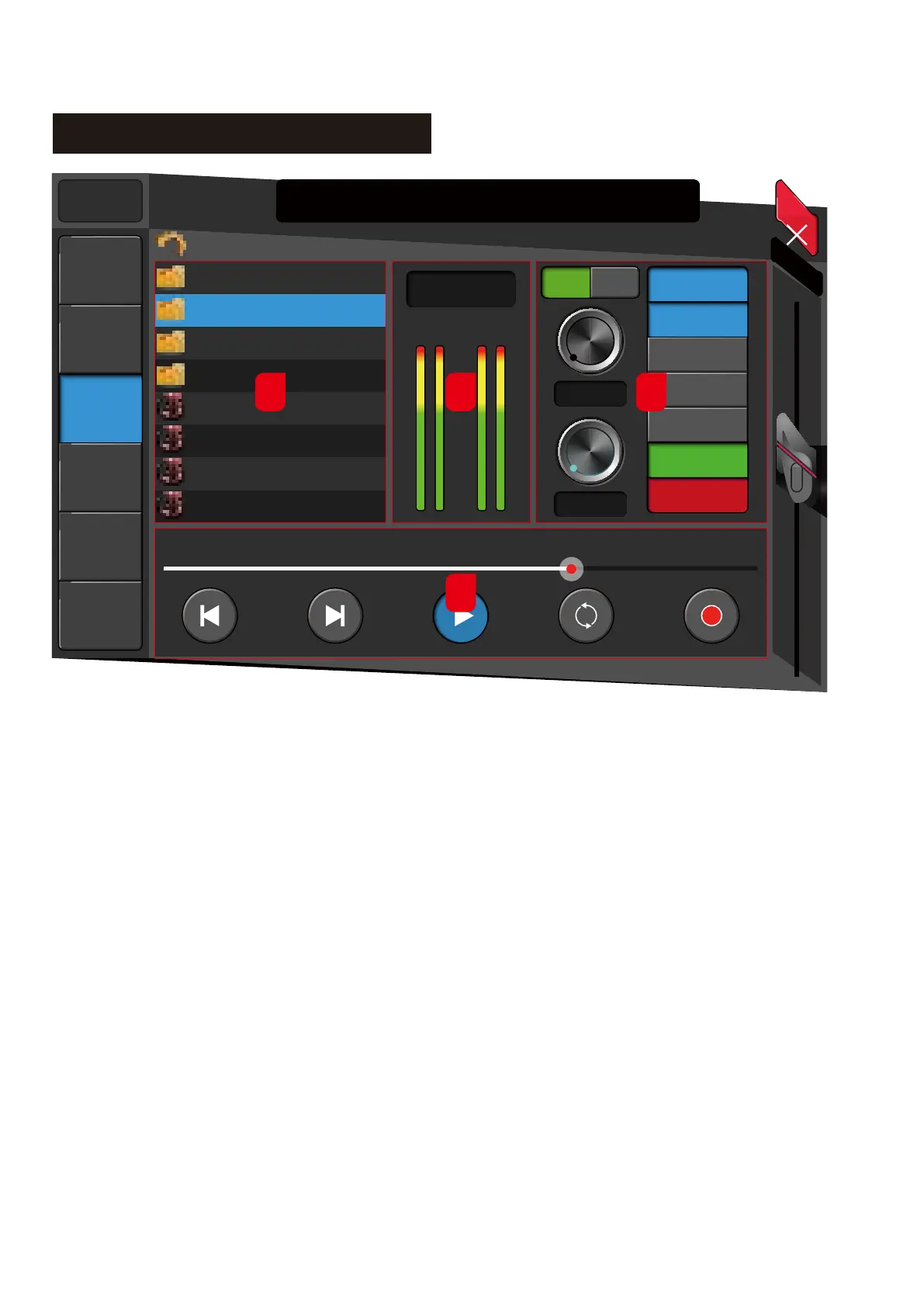
1. Play List
The system will read the files from the attached USB
drive for any file format of MP3, WAV, FLAC, or APE
and then will display the details in this section.
2. Record and Play Meter
Shows the recording signal or current playback
signal level.
3. Record/Playback Mode
3.1. USB
Source from/to the mixer from the front-panel USB ports
3.2. DiGi
Source from/to the mixer rear panel expansion card slot.
This could be an optional USB Card, AES/EBU Card or
Dante Card.
3.3. Trim
Increases / decreases the input/output level
3.4. Fader
Input/output level
3.5. Output
Assign a USB or AES/EBU signal to the output Buss.
4. Record/Playback Operation button
4.1. Previous
Go to the Previous audio track
4.2. Next
Go to Next audio track
4.3. Play/Pause
Play/Pause the audio
4.4. Shuffle
Shuffle play from the list
4.5. Record
Start recording



 To Next Page