81
WHILL Model C2/Ci2 User Manual
5
5. Assembly, adjustment, and disassembly
4.
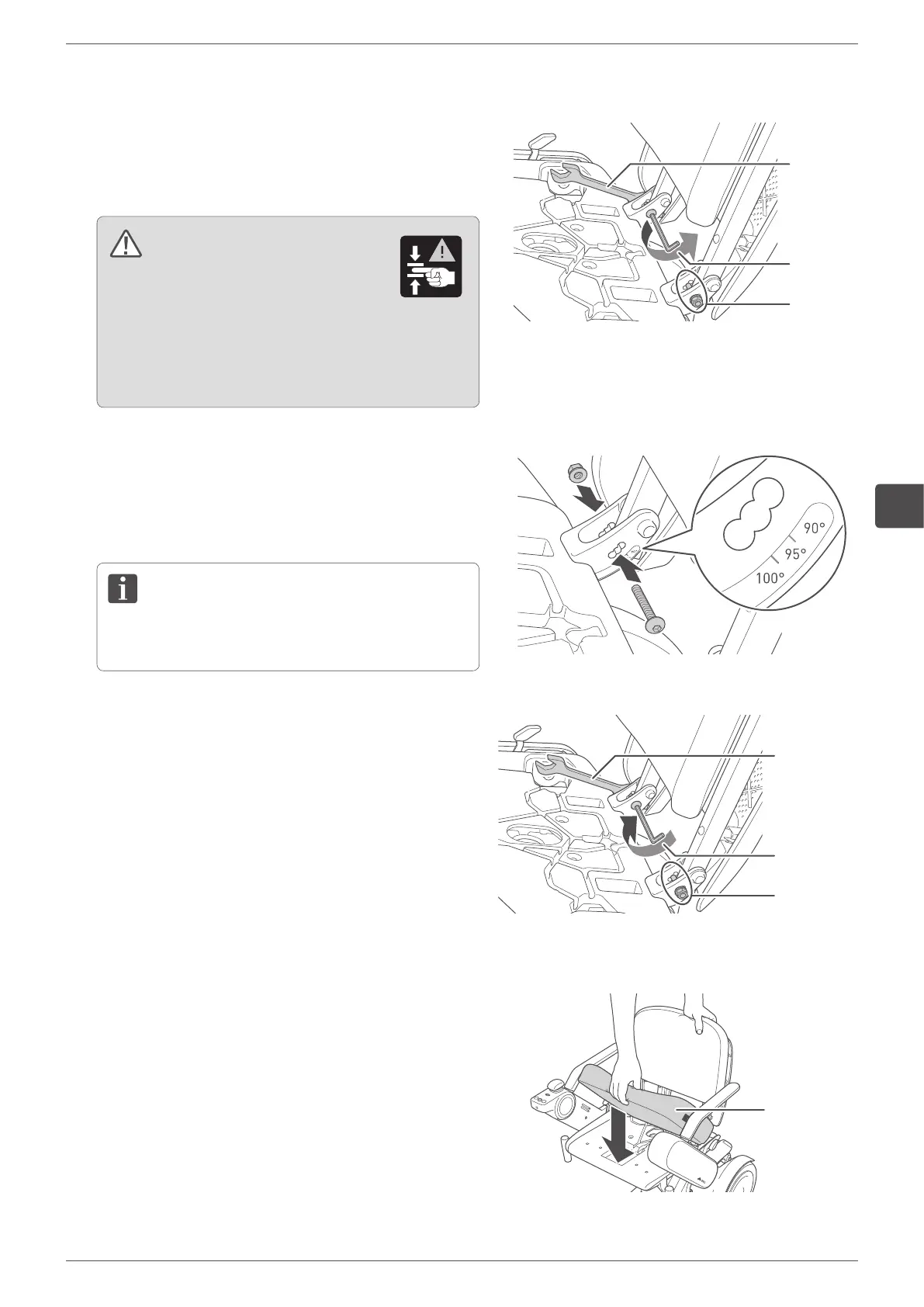
Remove the two back support adjustment bolts with
the specified tools.
Tool (for the screw): hex wrench #5
Tool (for the nut): wrench #10
When removing the back support adjustment bolt, hold
the nut with a wrench.
WARNING
Inserting a finger or other body part into
the connecting components and moving
parts of this device may result in an injury.
When assembling, adjusting, disassembling, and
transporting this device, do not touch any component
other than those indicated in the manual.
5.
Insert the two back support adjustment bolts into the
desired holes.
The back support can be adjusted in 3 stages (90°, 95°,
100°).
Be sure to adjust the left and right side to the same
angle.
6.
Fix the back support by fastening the two back support
adjustment bolts.
Set the back support to the appropriate angle and
tighten the bolt firmly with the specified tool. If a bolt is
loose, tighten it.
Tool (for the screw): hex wrench (or hex torque wrench)
#5
Tool (for the nut): wrench #10
Tightening torque: 5 Nm
When fastening the back support adjustment bolt, hold
the nut with a wrench.
Tighten the
back support
adjustment bolt
of the other
side.
Tighten the
back support
adjustment
bolt.
Hold the nut.
7.
Install the seat cushion onto the seat assembly.
Seat
cushion
Remove the
back support
adjustment
bolt of the
other side.
Remove the
back support
adjustment
bolt.
Hold the nut.


 To Next Page