97
WHILL Model C2/Ci2 User Manual
8
8. Maintenance and inspection
White stains may be observed on the rollers of the product’s front wheel (omni-wheel). They are wax
components in the rubber rising to the surface, and do not pose a quality problem. If you are concerned about
the appearance, please wipe them off with a wet cloth.
8.2. Replacing the smart key battery
When the display indicates that the smart key battery level is low, follow the procedure below and replace the smart
key battery. Perform this procedure carefully because there is a risk of device malfunction if a heavy load is applied.
Use a CR2032 3V battery (commercially available) for the button battery.
When the smart key battery level is low, the indication on the right is shown on the control pad
display.
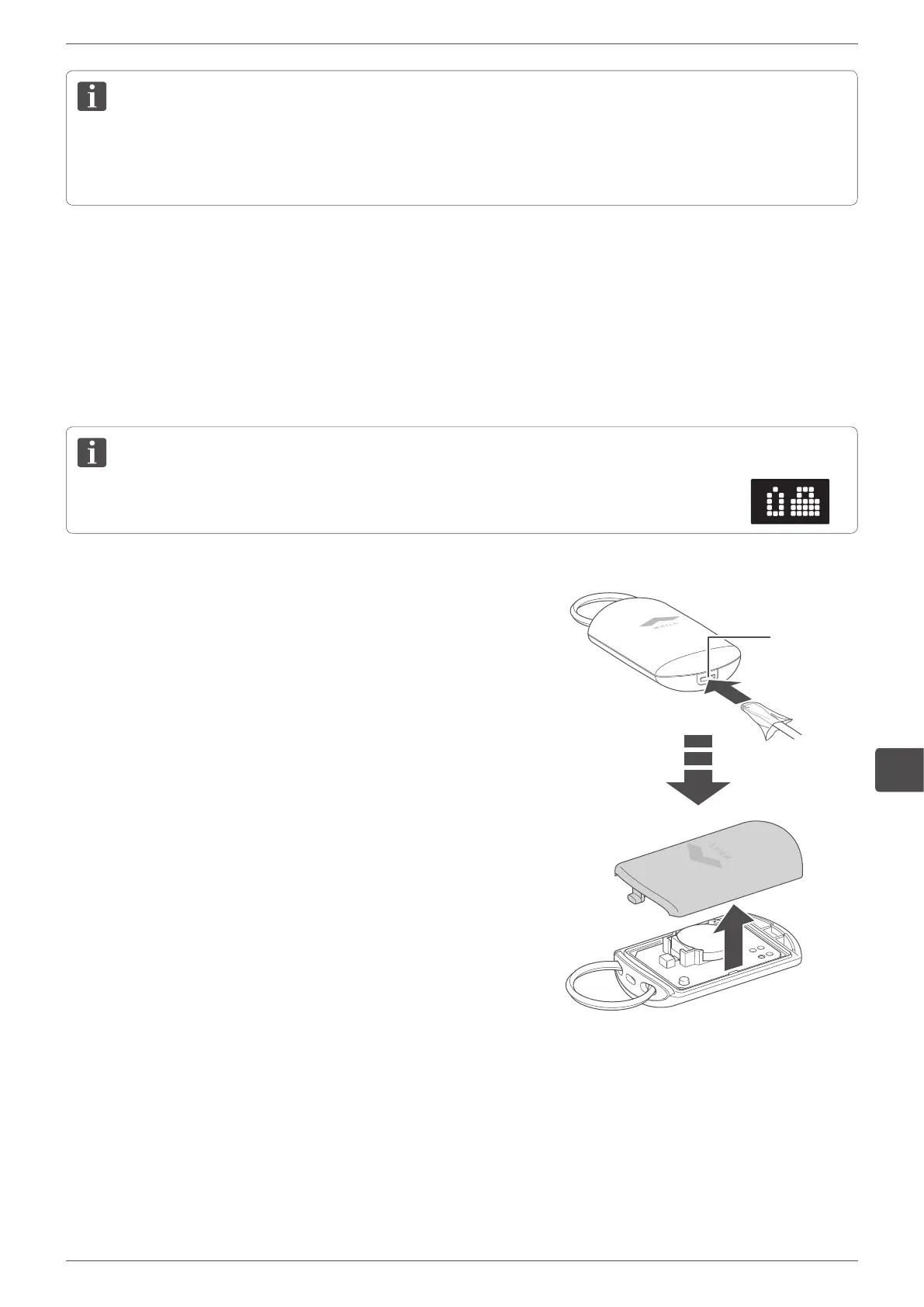
1.
Cover the tip of a flathead screwdriver with a cloth then
insert the tip into the hole in the case to open the case.
Hole


 To Next Page