66
WHILL Model C2/Ci2 User Manual
5
5.3.1. Adjusting the arm length
CAUTION
When moving the arm up or down, be careful that your fingers do not become caught.
There is a risk of injury.
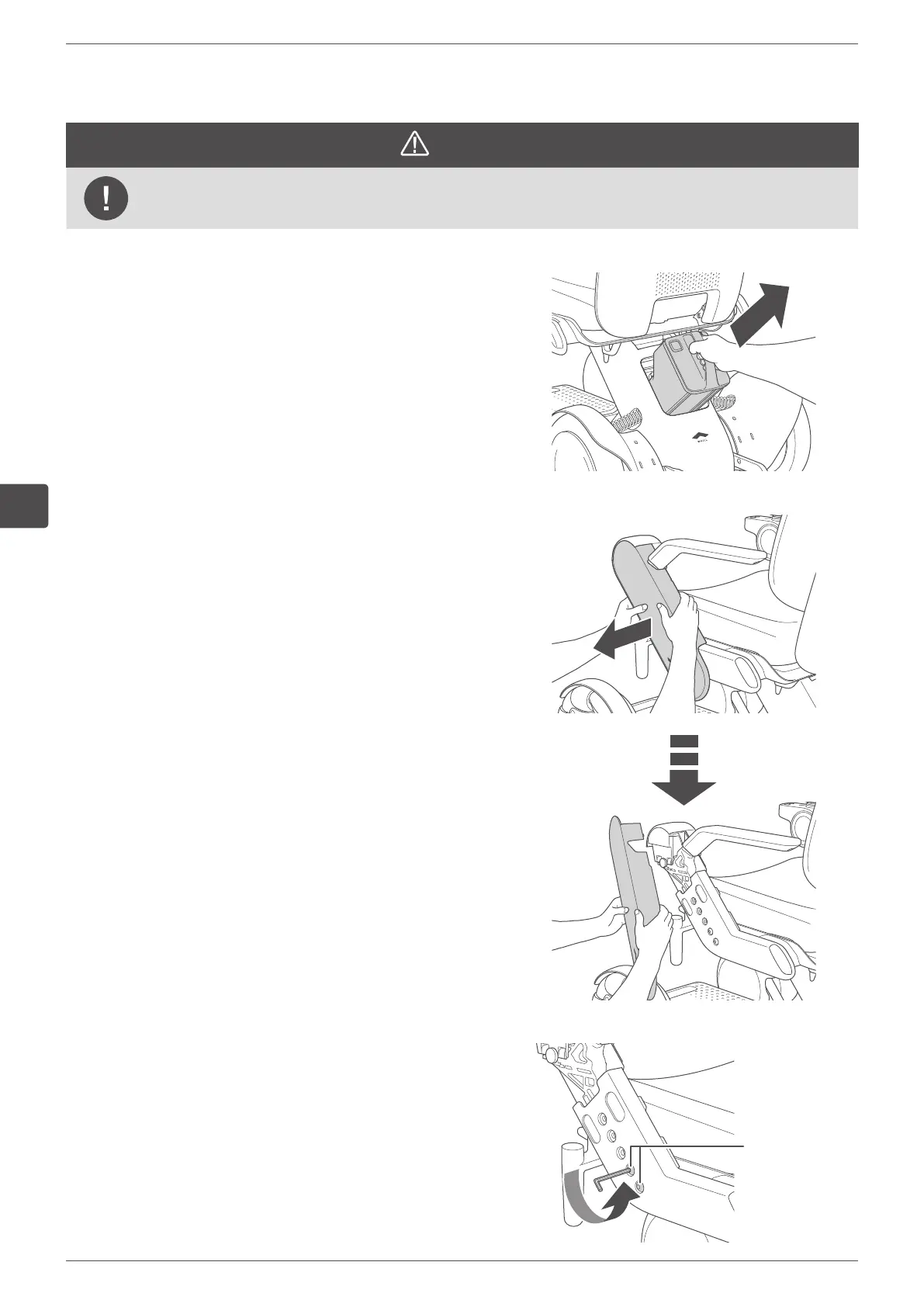
1.
Remove the battery.
For the removal procedure, refer to “5.4.1. Removing
the battery” on page 84.
2.
Remove the arm cover.
Hold both the front-facing and rear-facing sides of the
arm cover and gently bend them outwards then pull the
arm cover towards you to remove it.
3.
Remove the two arm adjustment bolts with the
specified tool.
Tool: hex wrench #5
Arm adjustment
bolts


 To Next Page