84
WHILL Model C2/Ci2 User Manual
5
5.4.1. Removing the battery
1.
Check that the device power is off.
2.
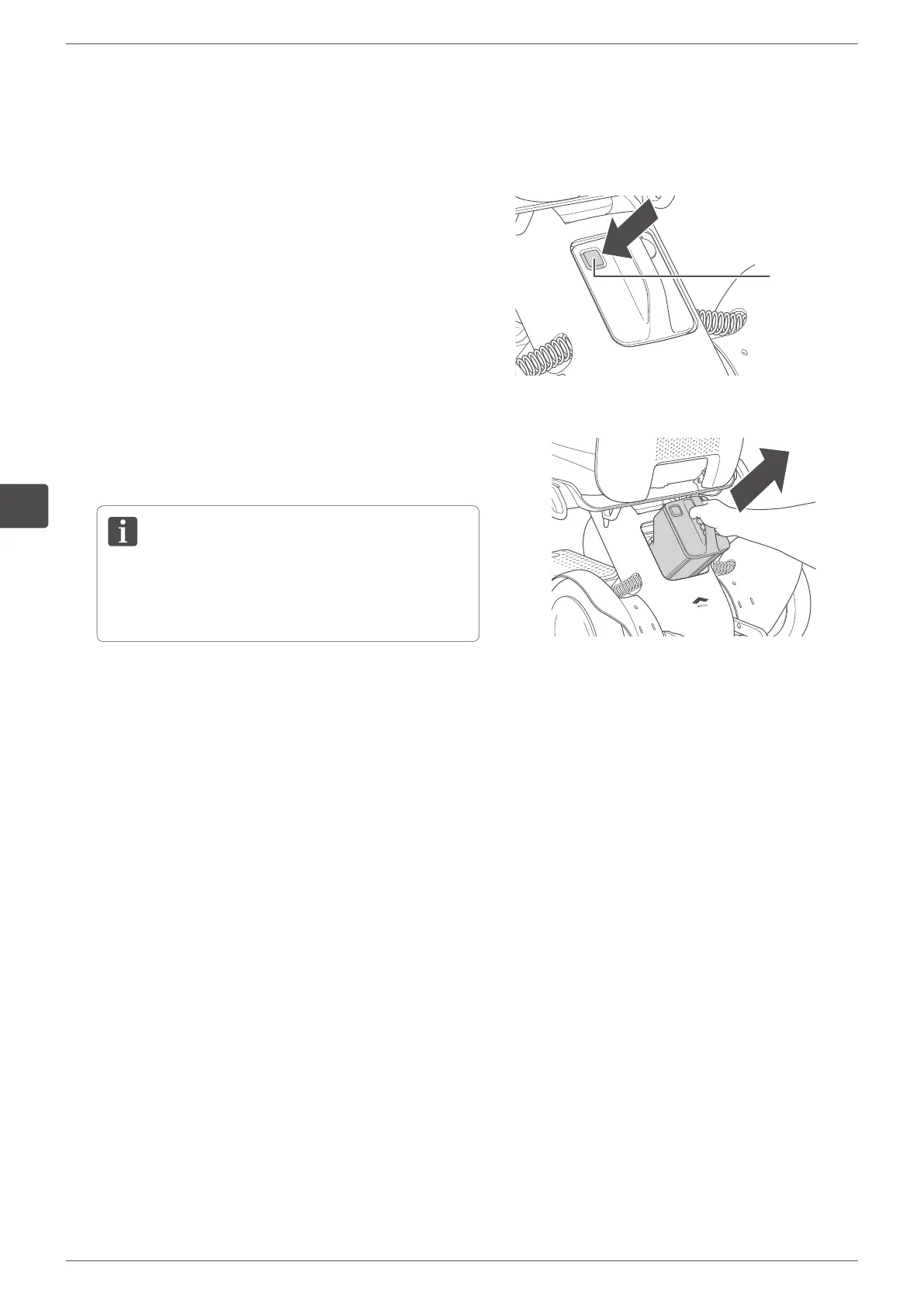
Press the battery lock release button.
Battery lock
release button
3.
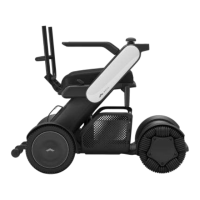
Grasp the handle and pull it toward you to remove the
battery.
The battery weighs 6.0 lbs (2.7 kg). Handle the
battery with care – dropping it will increase a risk of
injury and damage to the battery.


 To Next Page