46
WHILL Model F User Manual
3
3.2.8. Installing the battery
CAUTION
The battery and charger are for the WHILL Model F only. Do not charge the battery by using
a charger other than the charger included with the device or charge other batteries with the
charger included with the device.
There is a risk of malfunctions.
Do not touch the connectors directly, allow them to become wet, or bring any metal or other
foreign objects close to them. Ensure that there are no foreign objects when assembling.
Otherwise, there is a risk of injury and of damage to the device or its parts.
If the device does not start properly even though the charged battery is inserted to the device and the device is
turned on after five seconds have elapsed, remove the battery, then attach the battery again after 10 seconds.
If the device cannot be used even though the battery is inserted/removed several times, a malfunction may have
occurred. Please contact your dealer or customer support.
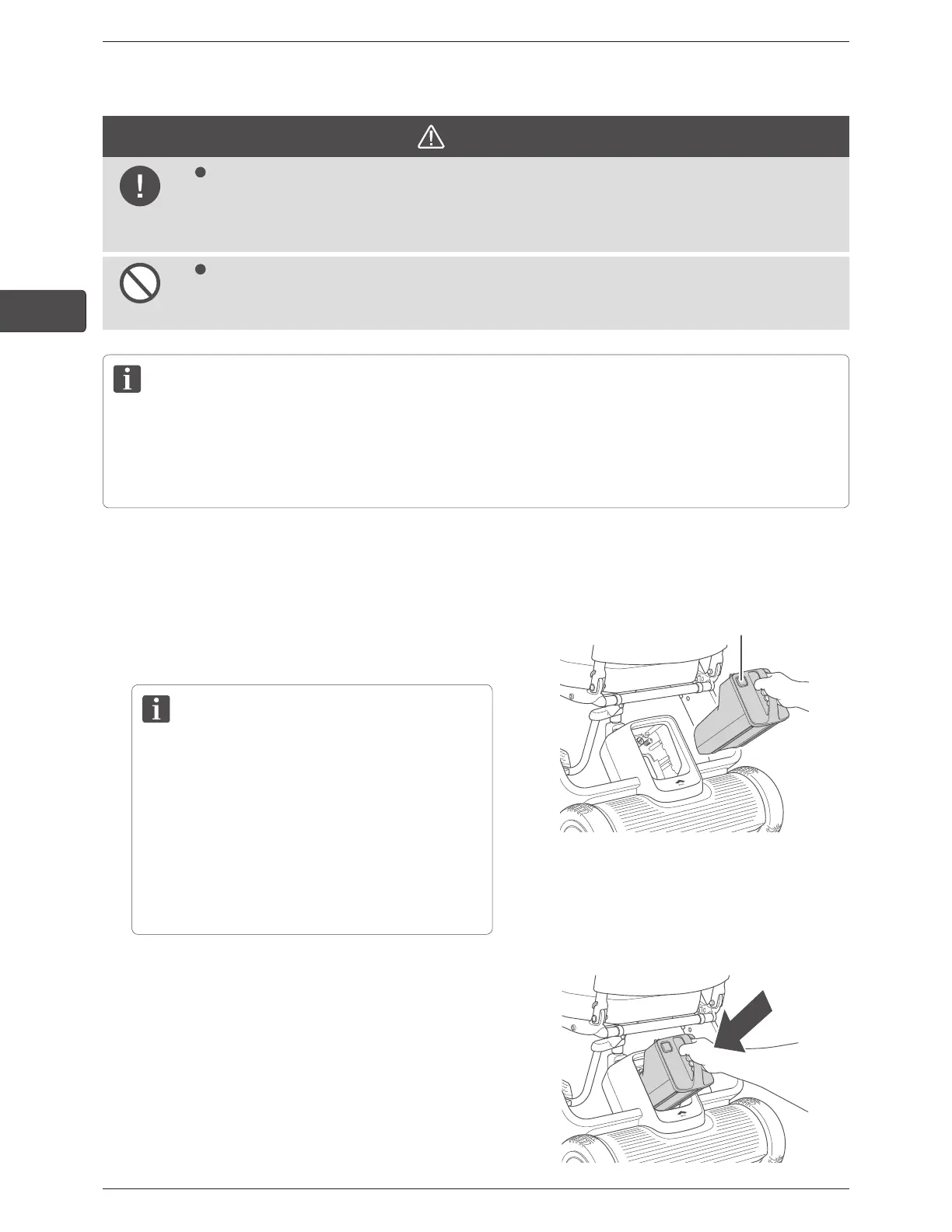
1.
Ensure that the battery lock release button is not
pressed.
2.
Grab the battery handle and insert the battery into the
battery compartment.
• Charge the battery before using WHILL Model F
for the first time.
For the battery charging procedure, refer to (4.2.
Charging procedure).
• The battery weighs 6.0 lb (2.7 kg). Handle the
battery with care – dropping it will increase a risk
of injury and damage to the battery. Otherwise,
there is a risk of injury and damage to the battery.
Battery lock release button
3.
Insert the battery straight and press it until it clicks.
When it is difcult to insert the battery, push it from
the front with force.
If the battery does not easily set in place, the cap may
be attached on the battery connector or there may be a
foreign object inside the compartment.
Shine a light inside the compartment and check.
If there is a foreign object, make sure to remove it with
a small brush, etc. before trying again.



 To Next Page