75
WHILL Model F User Manual
5
5. Operating procedures
5.4. Turning on the power
WARNING
Lock the brakes before turning on the power.
If the brakes are released, there is a risk that the device may start moving and tip over.
Do not press the switches on the controller with excessive force or operate them with a sharp
object.
There is a risk that the controller may be damaged, rendering the device inoperable.
CAUTION
Make sure the device is functional in a safe space each time after setting and adjusting the
speed.
There is a risk of unintended movement of the device.
1.
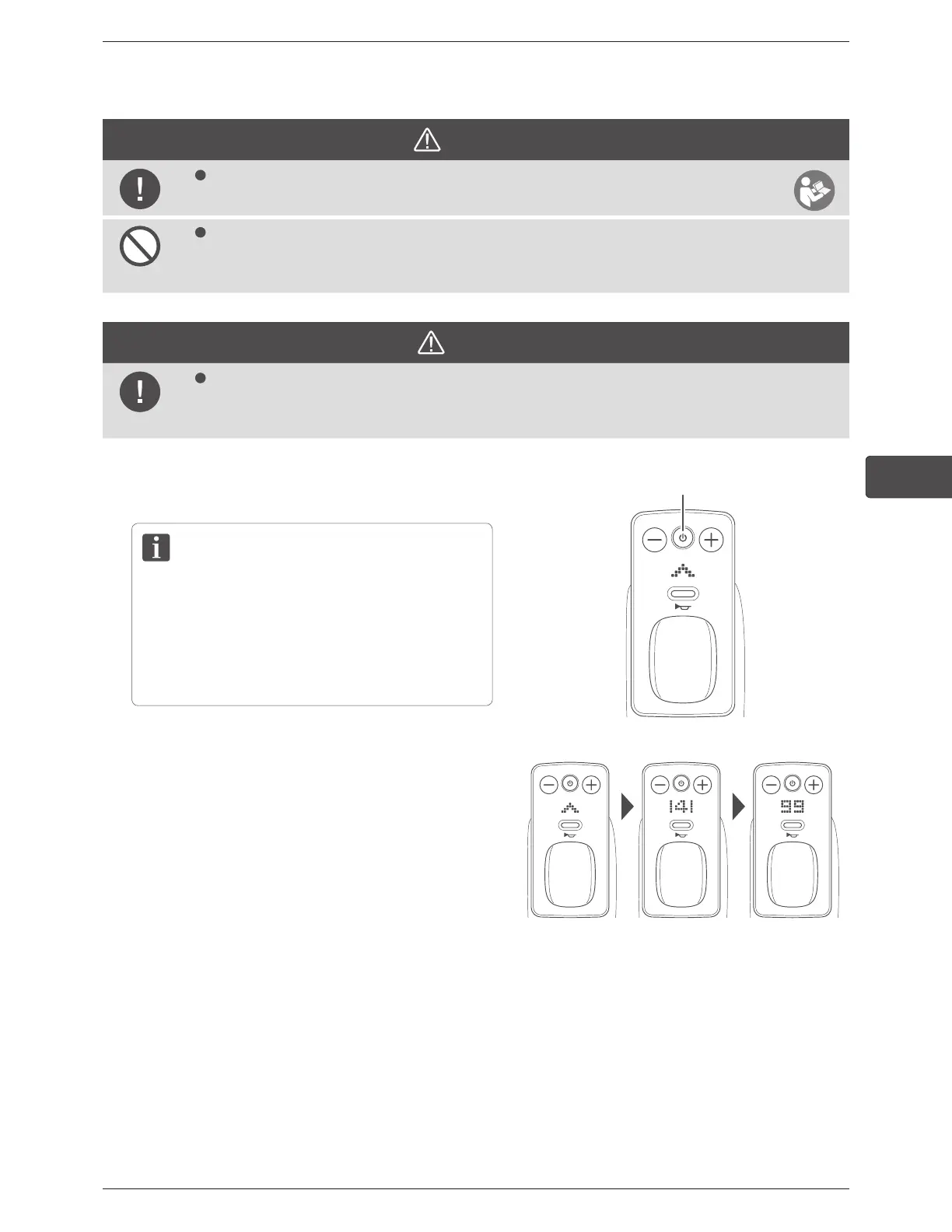
Press the power button.
If the device does not start properly even though the
charged battery is inserted to the device and the
device is turned on after five seconds have elapsed,
remove the battery, then attach the battery again
after 10 seconds.
Power button
When the device turns on, first the WHILL logo appears
on the display, and next the current speed setting is
displayed. The display will then show the battery charge
level indicator.
To check the speed setting again, either turn the power
off and back on, or press the speed select buttons to
adjust the speed.
WHILL logo Speed setting Battery charge level



 To Next Page