8 / 65
www.wireless-tek.com
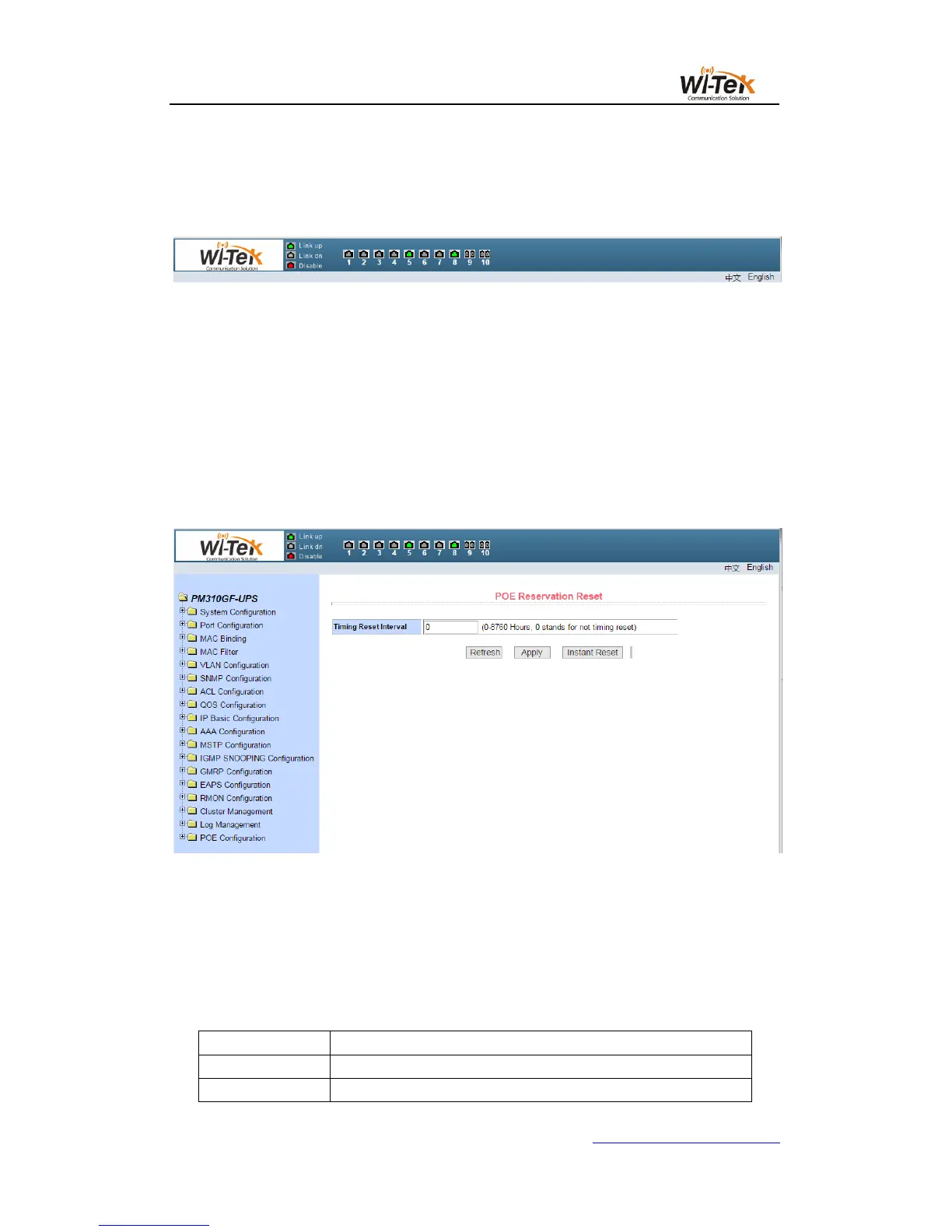
Title Page Used to display the logo, and real-time port status as shown below
The green light indicates that the port is connected;
The gray light indicates that the port is not connected;
The red light indicates that the port is off ( the specific setting is shown in Figure 17 )
Main page Used to display the page selected by the user from the navigation tree.
5、Navigation tree structure
Figure 3 shows the organization of the navigation tree.
The navigation tree is located at the bottom left of each page, displaying the nodes of the
Web page in a tree, and the user can easily find the WEB page to be managed.According to
the different functions of the page will be divided into different groups, each group includes one
or more pages.Most web pages in the navigation tree are abbreviations of the page title at the
top of the corresponding page.
Pic 3 Switch the navigation tree's organization page
6、Page button introduction
There are some general buttons on the page, the role of these buttons is generally the
same, Table 2 on the role of these buttons to introduce.
Table 2:



 To Next Page