15
11
Support02@wimius.com
EN
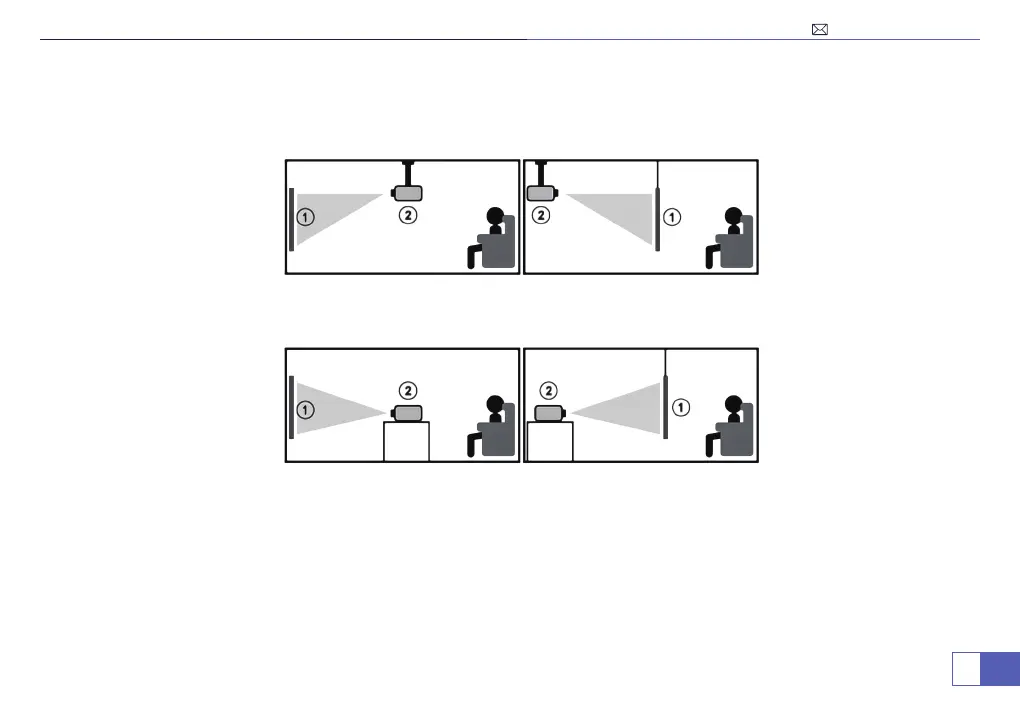
1. Front-Desktop 2. Rear 3. Front-Ceiling
4. Rear-Ceiling
The projector can be hanged on the ceiling with special hanger fame,and placed on the stable desk to project the
image according to the operating environment and requirements.
Note: Keep the projector at a height where its lens is axial symmetry to the screen. If it is not possible, use the
keystone correction ring to adjust the image.
Front/Ceiling Rear/Ceiling
Table mounted
RearFront



 To Next Page