15
12
Support02@wimius.com
EN
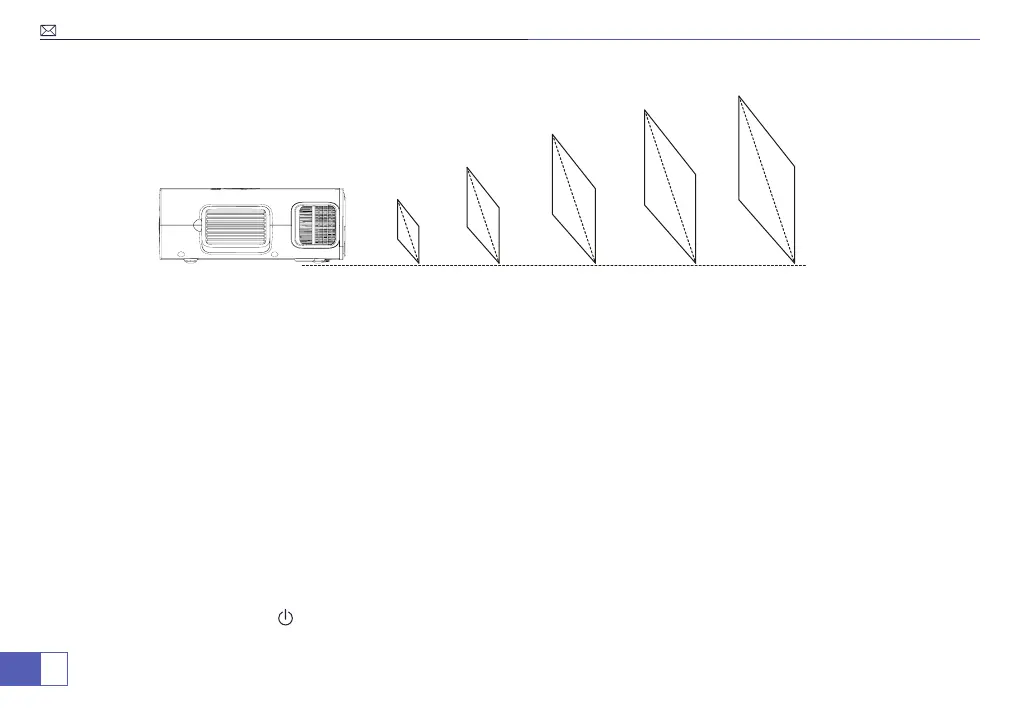
Projection Distance&Size
1.55m 2.17m 3.10m 3.72m 5.50m
50”
70”
100”
120”
200”
Recommended projection distance: 2.4-3M.
1. The image size depends on the distance between projector and screen. there may be 3% measure difference
among above listed data.
2. The recommended projection distance varies with different projection contents. Please adjust the distance
between the wall/ screen and the projector properly as needed.
3. Ambient darkness will improve the clarity of the projected images.
Starting the Projector
Power On/Power Off
1. First connect the power cord to the projector, plug it tightly.
2. Once the projector is plugged in, it will be in Standby mode.
3. If not use for a long time or encounter thunder and lightning, please unplug the power cord.
Power on: Press the button“ ”on the projector or on the remote control to turn on the projector.
Power off: Press the power button on the remote control again to turn the projector off.



 To Next Page