15
21
Support02@wimius.com
EN
On your Android phone:
Bluetooth Connection
1. Click into the WiFi settings, no need to connect to any WiFi, just turn on the WiFi function.
2. Activate Multi-Screen function on your Android device and nd the projector device, tap to connect it.
3. The display of your Android mobile device will be projected to the wall/ screen via cellular data after a successful
connection.
Tips: S26 Projector only can connect with Bluetooth headsets, Bluetooth speakers and Airpods, not allow to
connect Bluetooth keyboards or Bluetooth phones.
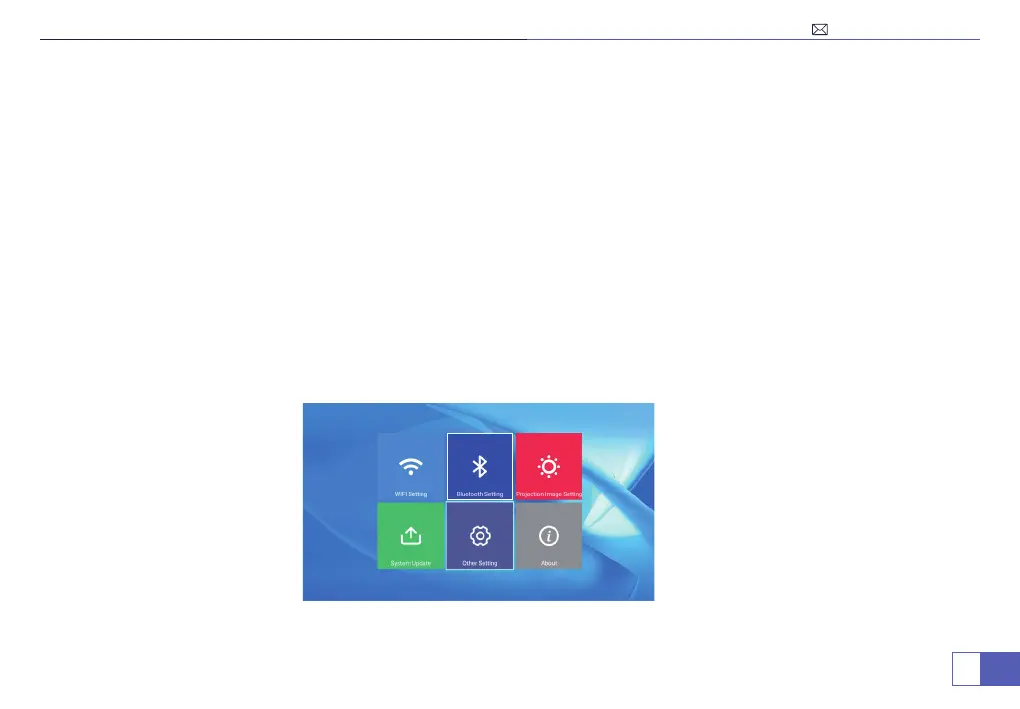
How to Connect Bluetooth Devices
1. Select "Settings" in the upper right corner on the main menu, click into it and select "Bluetooth Setting".



 To Next Page