15
16
Support02@wimius.com
EN
Signal Source
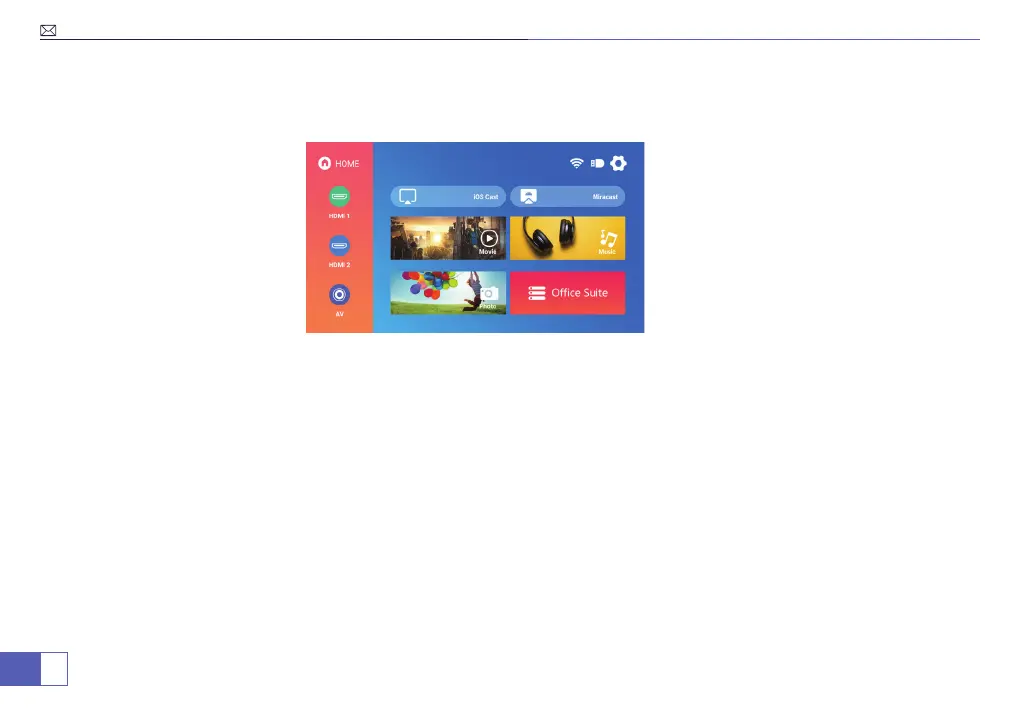
Signal source selection
Press the remote control signal source key "S", enter the signal source menu interface. Use the direction key and the
conrmation key to select the signal source.
1. HDMI equipment connecting
a. HDMI interface can be connected with the computer and other with VGA HDMI output interface device.
b. Choose the media signal channel :“HDMI”.
2. AV Connection
a. Use AV cable for connecting as follows, choose the "AV" source input.
3. USB Connection
a. Insert the USB ash driver into the USB port and choose the corresponding les( video or pictures), then press
“Play/ Pause” button(OK )to display or stop.
4. Audio Out Connection
a. User can connect the projector to an external speaker or headphones via 3.5mm earphone jack.



 To Next Page