15
10
Support02@wimius.com
EN
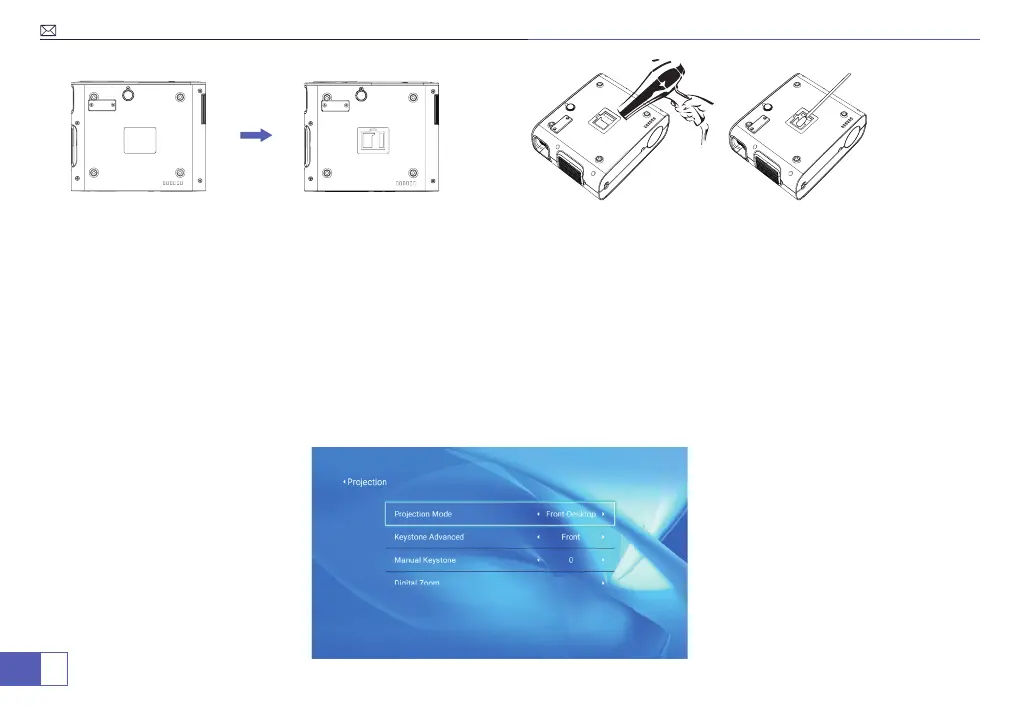
Tear off the bottom label, dismantle the Dusting Mouth Cover with a screwdriver(Included).
Method 1: Use the cold wind to blow the dusting mouth.
Method 2:(The most effective method): Use the cleaning swab (Included) to reach inside to clean the inner screen.
(We offer cleaning video!)
NOTE: Please contact our e-mail support02@wimius.com for a video if you need detailed steps!
Projector Setting
Select Projection Mode to obtain a front and upward image:
Menu>Settings>Projection Image Setting>Projection Mode.
Press arrow key to select and press “OK” to conrm.



 To Next Page