15
17
Support02@wimius.com
EN
Wireless Connection
Screen Mirroring ( For iOS System)
Important Tips for Wireless Connection:
On the projector:
Note: Both mobile phone and projector are connected to the same WiFi/hotspot
1. The fluency of screen mirroring with wireless connection will be affected by the network environment. A
bandwidth of 100Mbit or more is recommended when using screen mirroring.
2. Make sure your mobile device is close to the projector when using wireless connection. A distance within 1 meter
is recommended.
3. Some mobile devices may not support screen mirroring due to the compatibility.
4. If the projected image freezes when you switch the screen mirroring interfaces, please long press “OK” button for
5 seconds on the projector/ remote to do a reset, and the reset process will complete in 2 minutes, please wait
patiently.
5. Any questions, please feel free to contact WiMiUS support02@wimius.com.
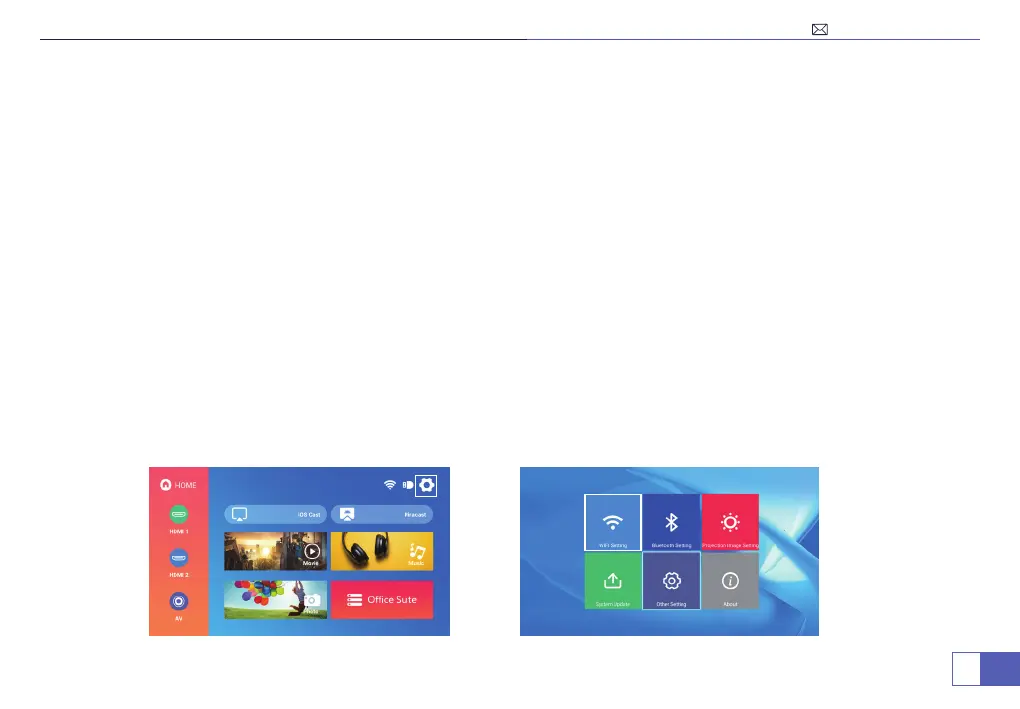
1. Select "Settings" in the upper right corner on the main menu, click into it and select "WiFi Setting".



 To Next Page