15
18
Support02@wimius.com
EN
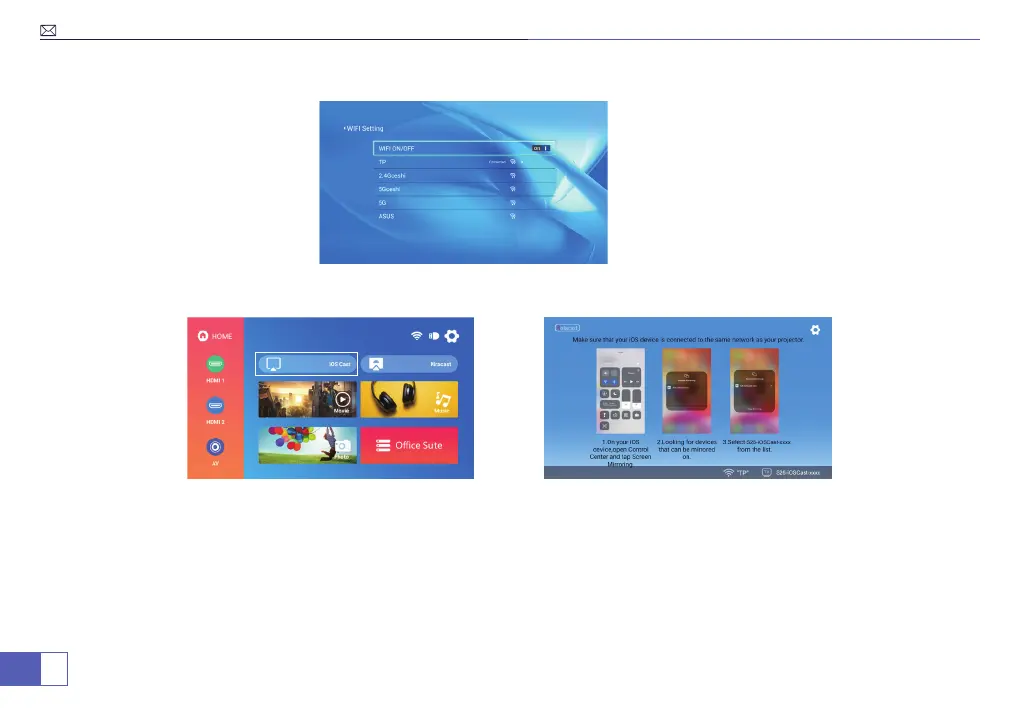
2. Select "Settings" in the upper right corner on the main menu, click into it and select "WiFi Setting".
3. Return to the main menu, click "iOS Cast".
On your iOS device:
1. Click into the WiFi settings and make sure your phone is connected to the same Wi-Fi network or Hotpot as the
projector.
2. Activate the "Screen Mirroring/AirPlay Mirroring" of your iOS mobile device and then search for the projector
device, tap to connect it.
3. The display of your iOS mobile device will be projected to the wall/ screen via Home WiFi network data after a
successful connection.



 To Next Page