10
2. Operation
2.3.3 Chimney sweep function
This function aids the performance of legally-required
emissions testing.
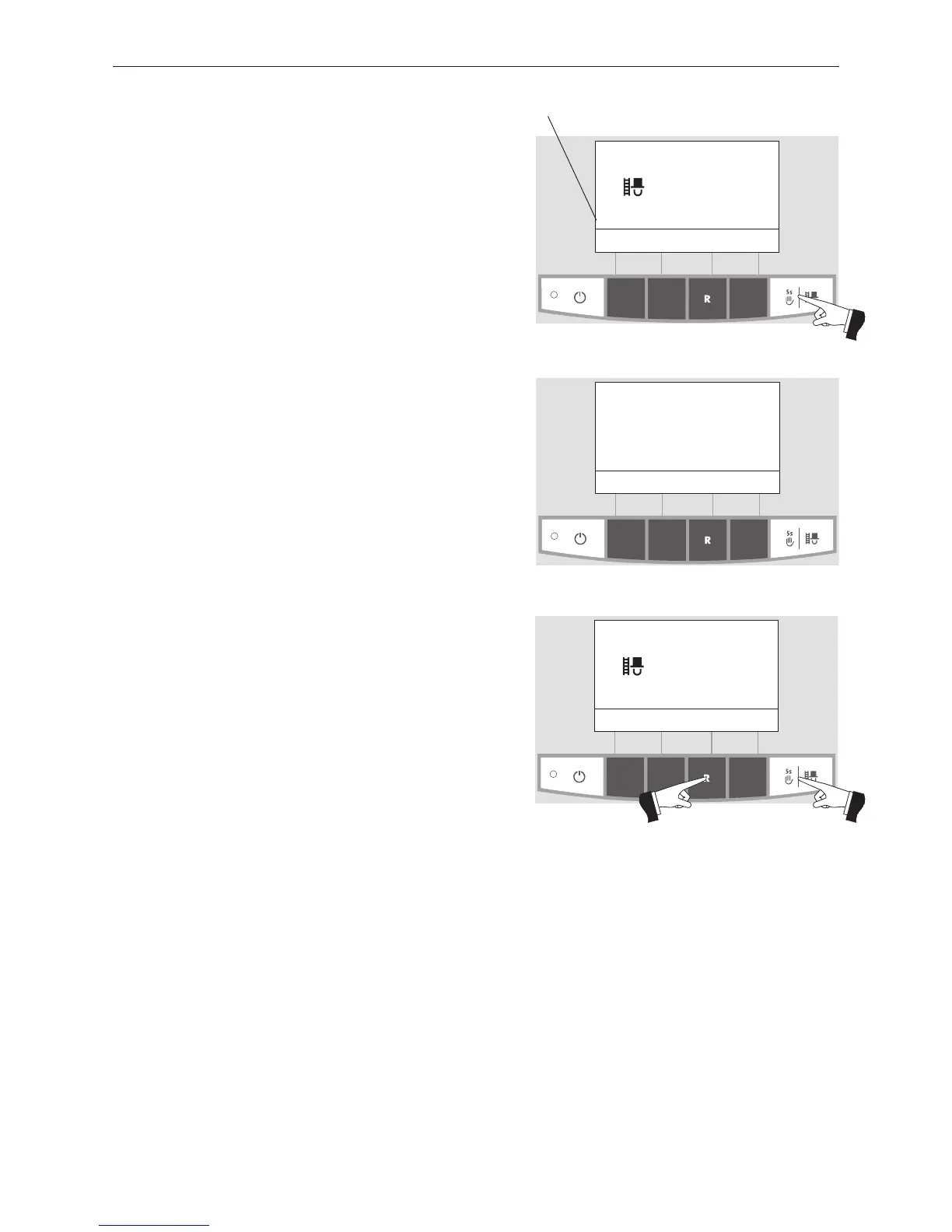
A short press of the Manual operation / chimney sweeper
function button switches on the lighting and display. Pres-
sing the button again starts the chimney sweeper function
– Fig. 9. With MESplus control, the boiler temperature is
regulated to approx. 70 °C for 45 min.
Fig. 9
chimney sweep function
(Operating phases)
Cancel
42
°C
(Symbol flashes)
The modulation mode or stratified charge operating
phases are displayed here.
The chimney sweep function can only be started in modu-
lation mode or stratified charge operating phases. In all
other operating phases, pressing the chimney sweep func-
tion button causes an information message to be displayed
(Fig.10) and the function is not started.
The lighting is switched off after the lighting timer has
counted down (10 min.); the function or display remains un-
changed. The first button press only switches on the ligh-
ting.
Fig. 10
Start of chimney-sweepfunction
only possible in modulating-
or step-loading mode.
Back
Fig. 11
chimney sweep function
Modulation mode
Cancel
(Symbol flashes)
The chimney sweep function ends
– if the Cancel button or chimney sweep function button
is pressed – Fig. 11.
– automatically after about 45 minutes.



 To Next Page