30
4. Troubleshooting
4. Troubleshooting
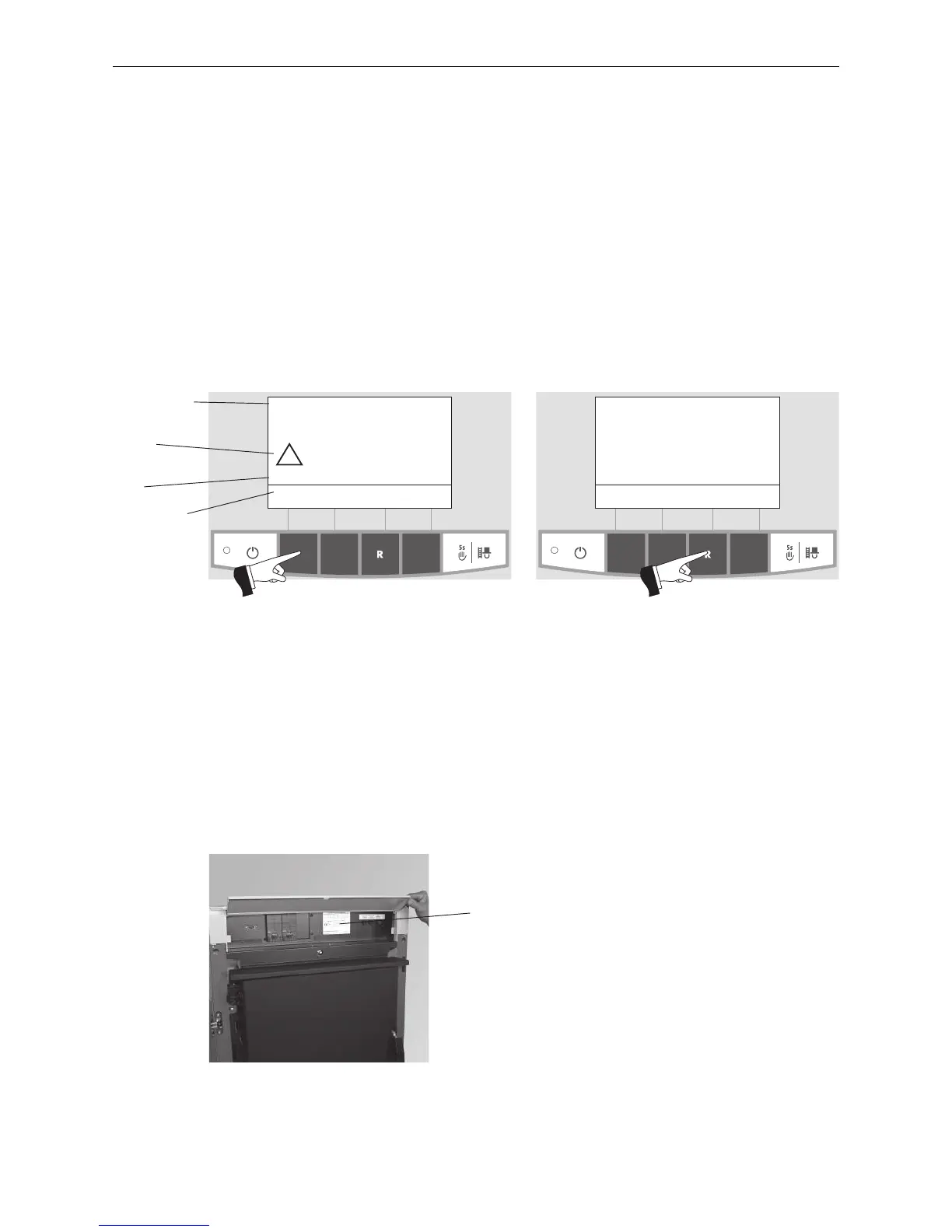
The LogWIN wood gasification boiler is self-monitoring during operation. All deviations from normal operation
are displayed on the InfoWINplus by information, fault or alarm messages. If one of these messages appears,
the LED lights up red, an information, fault or alarm symbol flashes, an information code is displayed along with
a brief description in full text – Fig. 72.
Pressing the Info button (Fig. 72) displays the related information text (Fig. 73). To exit the information text menu,
press the Back button (Fig. 73) or wait 45 seconds and the information, fault or alarm message is displayed again
– Fig. 72.
With almost all messages, it is necessary to press the Reset button after rectifying the cause of the information,
fault or alarm message. In these cases, “Reset” is displayed in the menu line – Fig. 72.
If “Reset” is not displayed in the menu line, the boiler starts operating again automatically after the cause of the
information, fault or alarm message has been rectified.
Fig. 72
Induced draught fan defective
AL 016
Info Reset Menu
42
°C
Fig. 73
Clean blower wheel and
clean blower box.
Press reset.
Follow operating manual.
Back
Brief
description
Flashing
symbol
Information
code
Pink or red
backlit display
If you wish to call Windhager Customer Service or your customer service Partner due to a malfunction, please
first make a note of the following data from the rating plate:
– Model
– Factory number
– Year of manufacture
– Fault or alarm message
The rating plate is located on the front of the control panel under the cladding cover – Fig. 74.
Fig. 74 Rating plate
Rating plate



 To Next Page