15
2. Operation
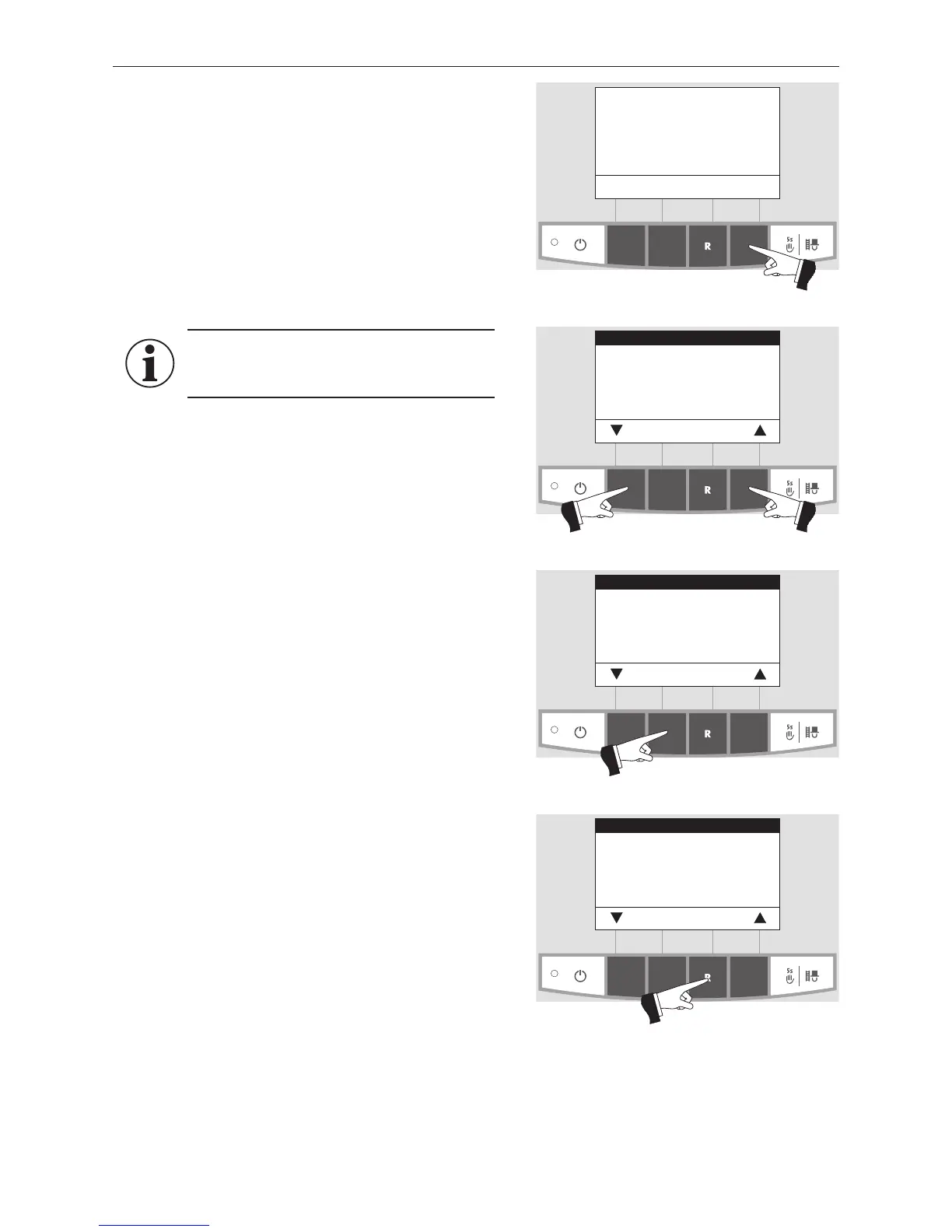
Fig. 35
Boiler temperature
(Operating phases)
Info Menu
42
°C
2.6 Menu guide
Pressing the Menu button changes the menu display to the
Operator level, Service level, Information level or to MES
Module
1
– Fig. 35.
Use the arrow buttons to select the Operator level, Service
level or Information level (Fig. 36) and confirm with the
Choose button – Fig. 37.
The menu item or sub-menu item is exited by pressing the
Back button (Fig. 38) or after a delay of 45 seconds.
Information!
Only trained service personnel may perform
system modifications on the Service level.
Fig. 36
Operator level
Service level
Information level
MES Module
1
Choose Back
Fig. 37
Operator level
Service level
Information level
MES Module
1
Choose Back
Fig. 38
Operator level
Service level
Information level
MES Module
1
Choose Back
1 only displayed when an MESplus control is present and this has been adjusted by a trained service technician in the basic settings.



 To Next Page