17
2. Operation
1 only displayed when an MESplus control is present and this has been adjusted by a trained service technician in the basic settings.
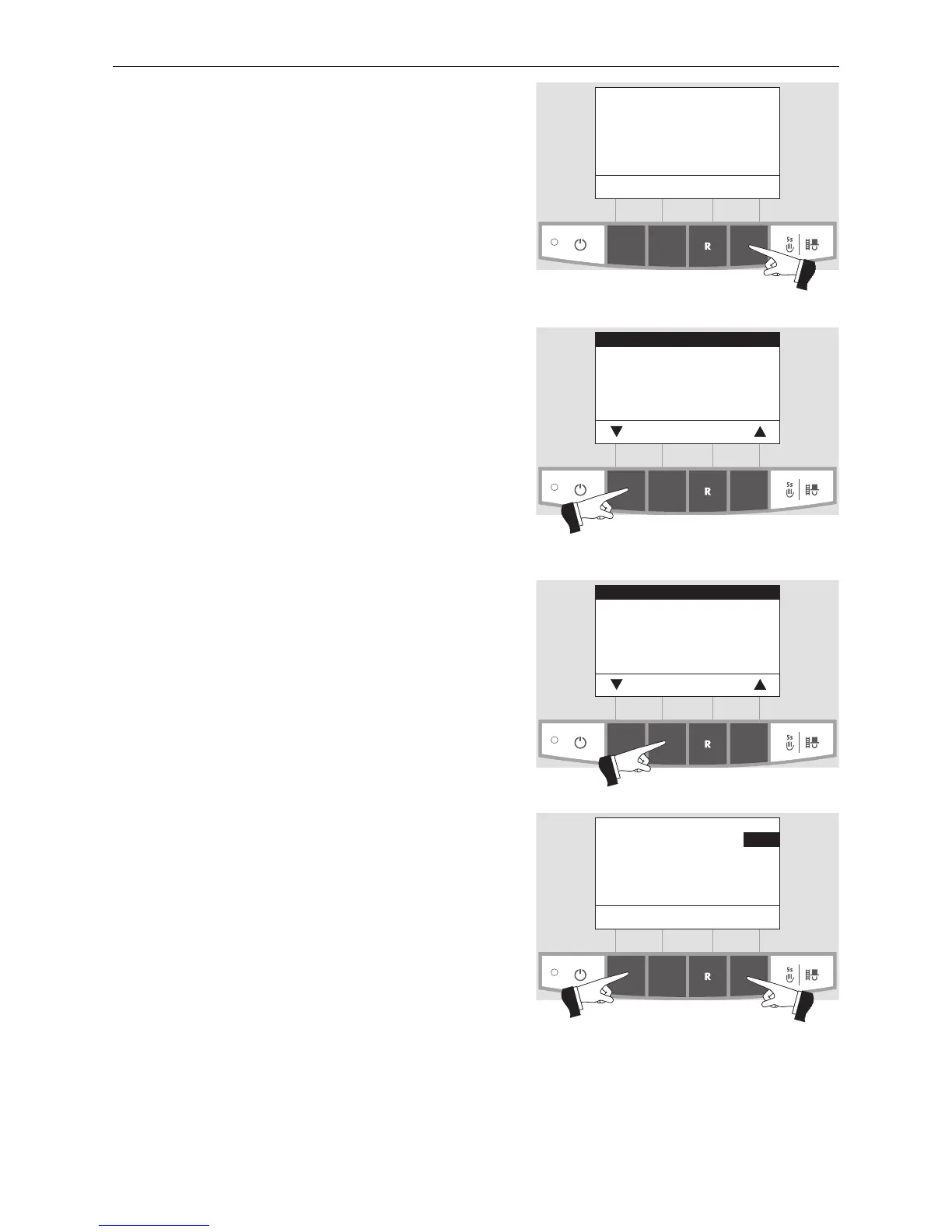
2.6.1.1 Setting the time
This time is used for the time control of the automatic igni-
tion (accessory).
If the LogWIN is operated with an MESplus control, the time
is automatically adopted from the module and the time set
here is overwritten.
Confirm the selected “Time” sub-menu by pressing the
Choose button – Fig. 41.
Use the + or – button to set the required time – Fig.42.
Fig. 39
Boiler temperature
(Operating phases)
Info Menu
42
°C
2.6.1 Operator level
Pressing the Menu button shows the „Operator level“,
„Service level“, „Information level“ and „MES Module
1
“ in
the display – Fig. 39.
Fig. 40
Operator level
Service level
Information level
MES Module
1
Choose Back
The arrow buttons select the “Operator level”; the Choose
button confirms the choice – Fig. 40.
Fig. 41
Time
Choose Back
Fig. 42
Time 13:50
– Save Back +



 To Next Page