6400 Reference Manual
10
Adjusting Analyzer Screen Brightness
The ability to adjust the brightness of the analyzer is available via the Utilities menu on the 6400-analyzer
screen. Once Utilities is selected, a menu list will be displayed on the analyzer. Select option 2 (System setup)
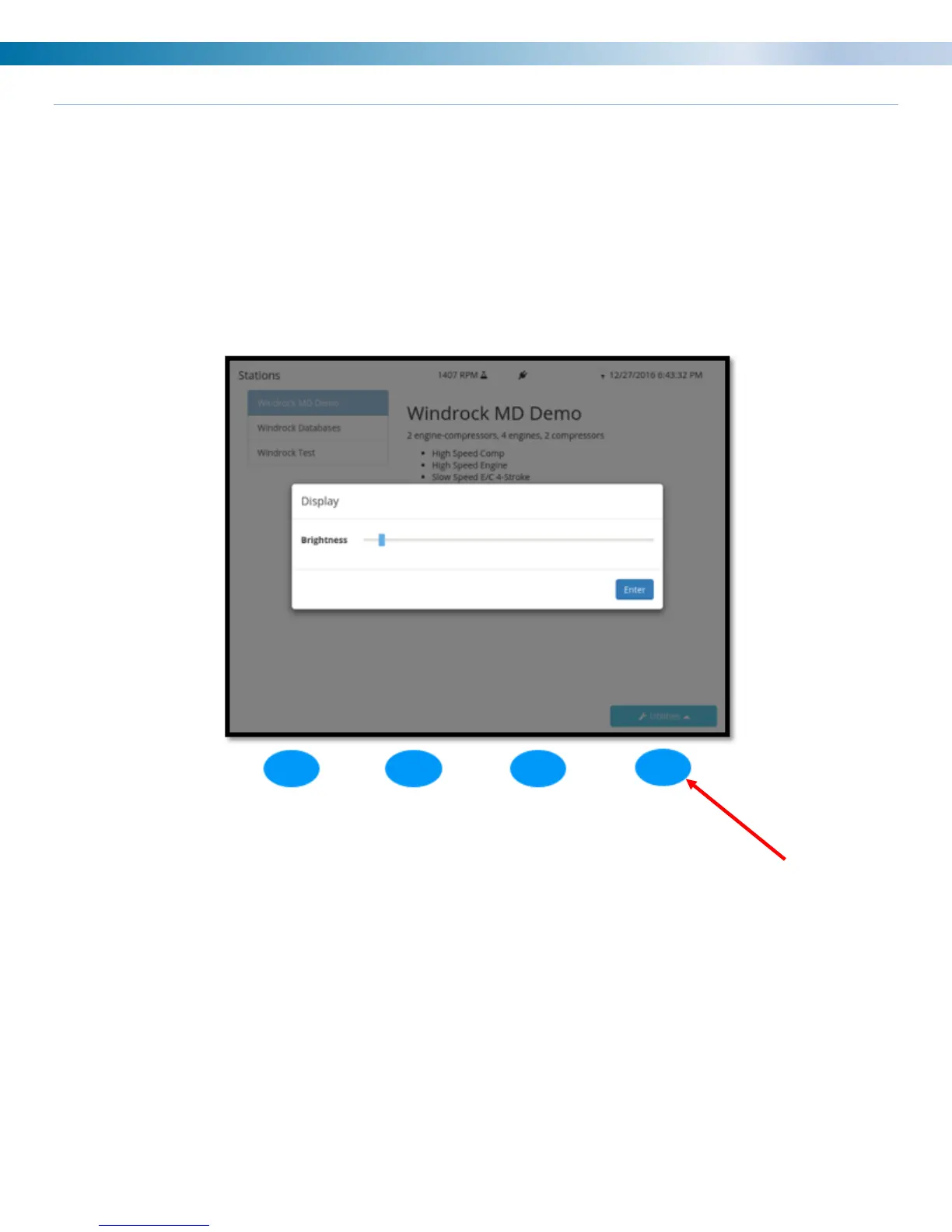
from the main utilities menu and then option 2 (Display) from the sub menu. Once selected the adjustment box
below will display on the analyzer screen. Use the arrows on the analyzer to adjust the screen brightness to
the desired setting and then select the ENTER (Blue) button on the analyzer to save the setting.
Once saved the analyzer will remember the setting the next time the analyzer is turned on.
Note: Using a brighter setting will consume more battery power and shorten the overall charge life of the
battery.


 To Next Page