6400 Reference Manual
11
Adjusting Analyzer Date/Time
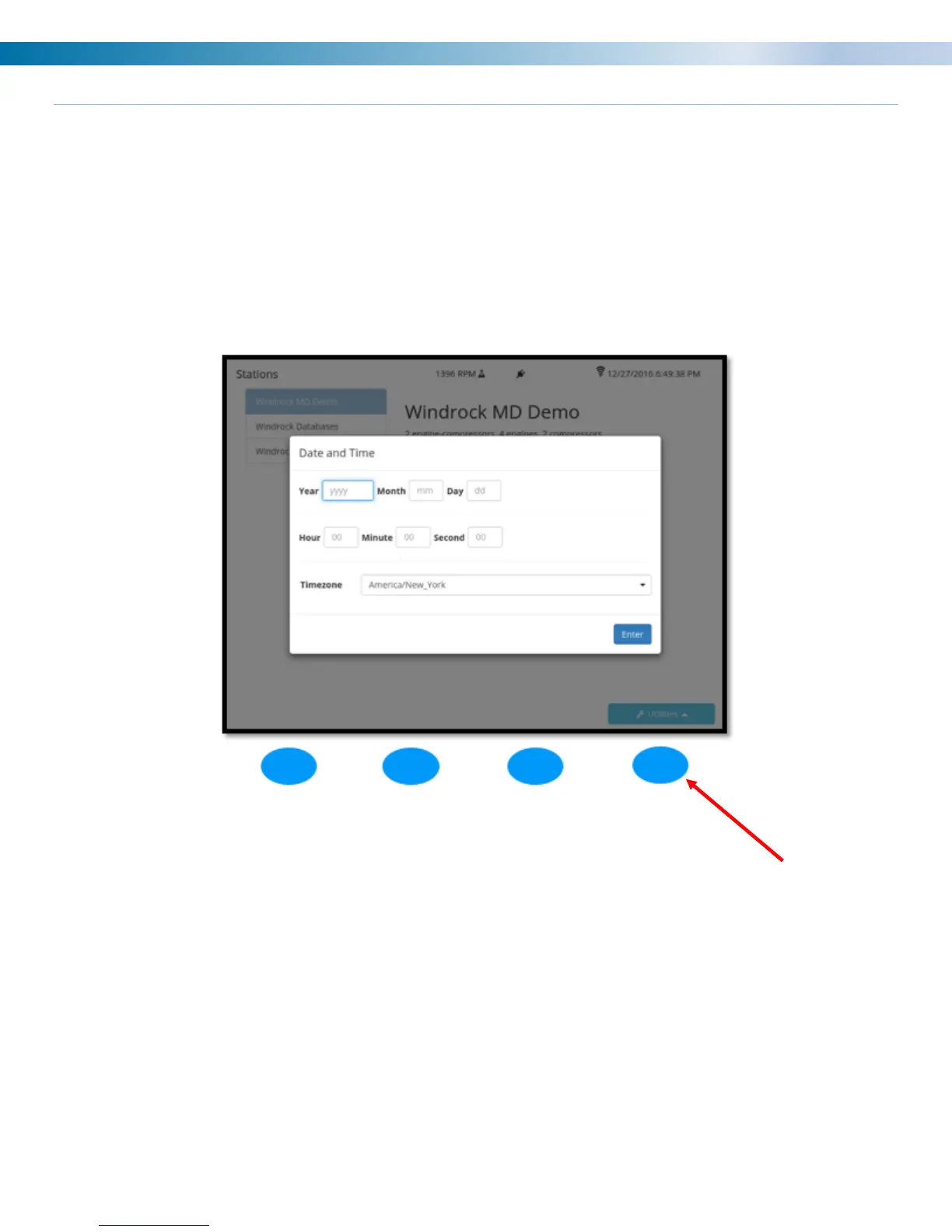
The ability to adjust the date/time that displays on the analyzer is available via the Utilities menu on the 6400
analyzer screen. Once Utilities is selected, a menu list will be displayed on the analyzer. Select option 2
(System setup) from the main utilities menu and then option 3 (Date/time) from the sub menu. Once selected
the adjustment box below will display on the analyzer screen. Use the keypad on the analyzer to adjust the
date/time to the desired setting and then select the ENTER (blue) button on the analyzer to save the setting.
Note: The date/time can be automatically adjusted via connection of the analyzer to the Windrock MD software
on your PC. For this function to work properly the time zone on the analyzer must match the time zone on your
PC.


 To Next Page