6400 Reference Manual
35
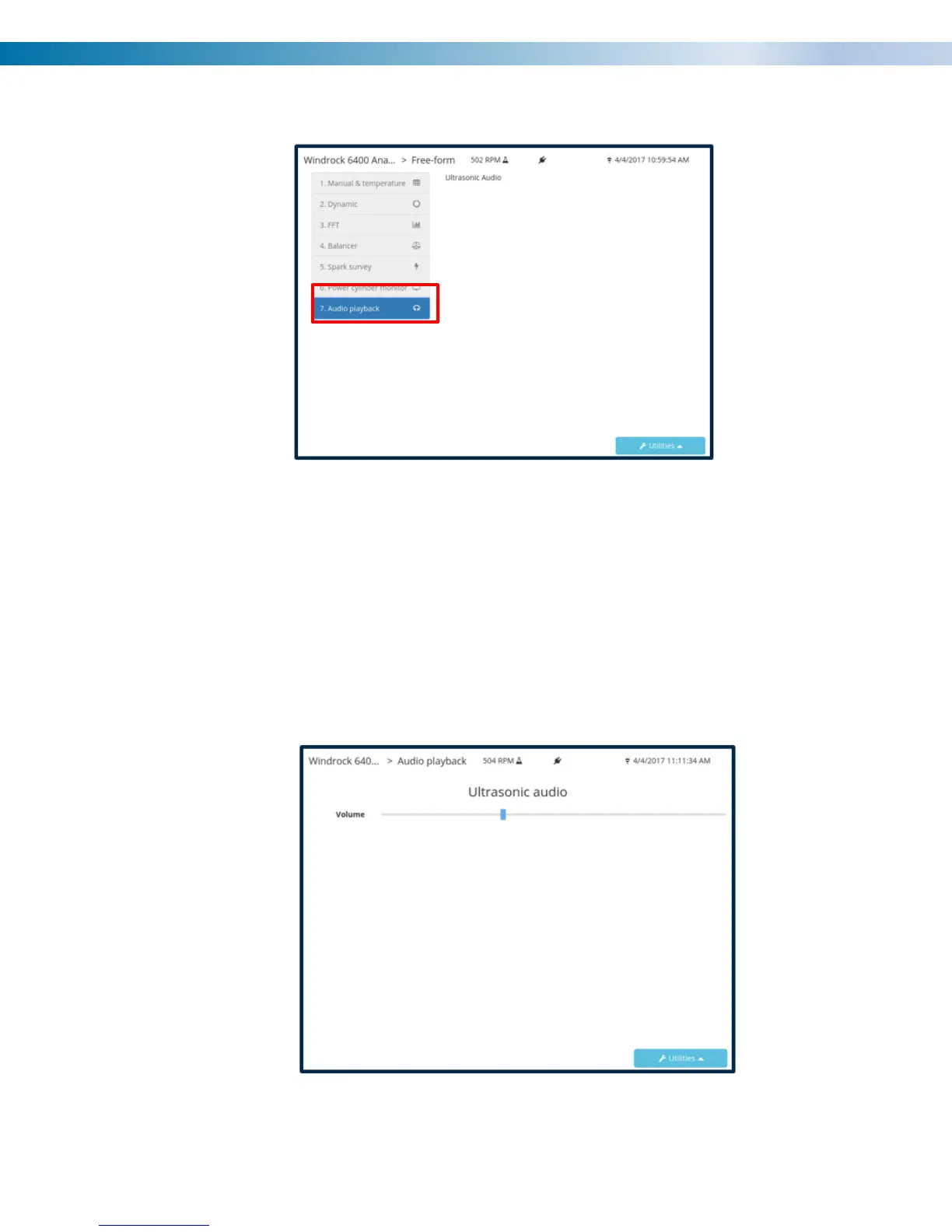
4) Select option 7 “Audio playback”.
5) Adjust the volume knob on the headphones to the desired sound level if available. On the analyzer
adjust the volume bar to the desired setting using the arrows on the analyzer keypad.
Note: The ultrasonic audio playback is only functional when the screen below is displayed.
Note: The ultrasonic sensor must be plugged into a channel prior to entering the below screen for the
audio playback feature to work properly.
Note: The ultrasonic gain will also need to be adjusted appropriately for playback of sound.


 To Next Page