SmartPAC PRO User Manual 1143100
Chapter 5 – SmartPAC PRO Run Mode 151
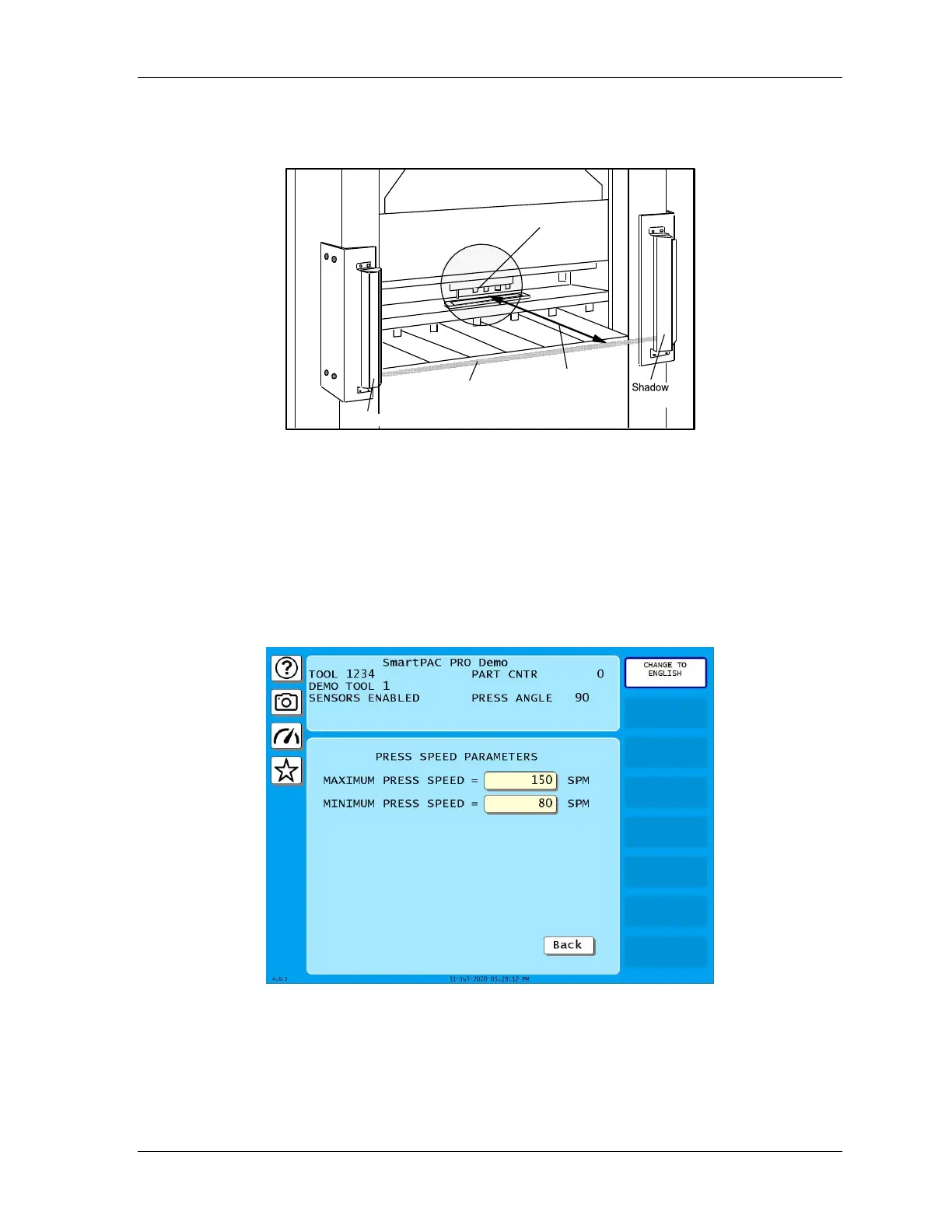
curtains can be installed and still be able to stop the press before the operator can penetrate the light
beam and reach the pinch point (see Figure 5-6).
Figure 5-6. View of Light Curtains and Press Showing Safety Distance
PRESS SPEED
(RUN – PRESS SPEED)
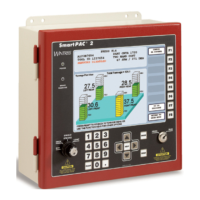
This feature enables you to adjust speed limits that have been programmed for a selected tool running
on a variable speed press. Speed limits apply to all Run operating modes – Continuous, Single-stroke,
and Inch. Adjustments are made on the Press Speed Parameters screen, shown in Figure 5-7.
Figure 5-7. Press Speed Parameters Screen
When the speed of the press exceeds the maximum speed limit, SmartPAC PRO stops the press and
displays the fault message “Maximum press speed exceeded.” When press speed drops below the
minimum speed limit, SmartPAC PRO stops the press and displays the fault message “Minimum
press speed exceeded.” These fault messages are documented in Chapter 8.



 To Next Page