SmartPAC PRO User Manual 1143100
Chapter 3 – SmartPAC PRO Initialization Mode 95
• CHANGE COUNTS and CHG GOOD PRTS CNT. These items allow you to specify NO
CHANGES ALLOWED, which prevents changes to actual counter values for strokes, good parts,
total hits, and batch counters (CHG COUNTS) or for good parts only (CHG GOOD PRTS CNT).
This setting is applicable in either Program or Run mode.
• INIT. PASSWORD. This item allows you to require a password for user access to the Main
Initialization Menu. To require a password, select MUST BE USED. Otherwise, select NOT
REQUIRED.
• LOAD MONITOR. This item has four options: ALLOW RECALC/ADJUST, ALLOW
RECALC ONLY, NO RECALC/ADJUST, and PASSWORD REQUIRED.
• CHG TOOL TEMPLATE. This item has two options: PASSWORD REQUIRED and
PASSWORD NOT REQUIRED.
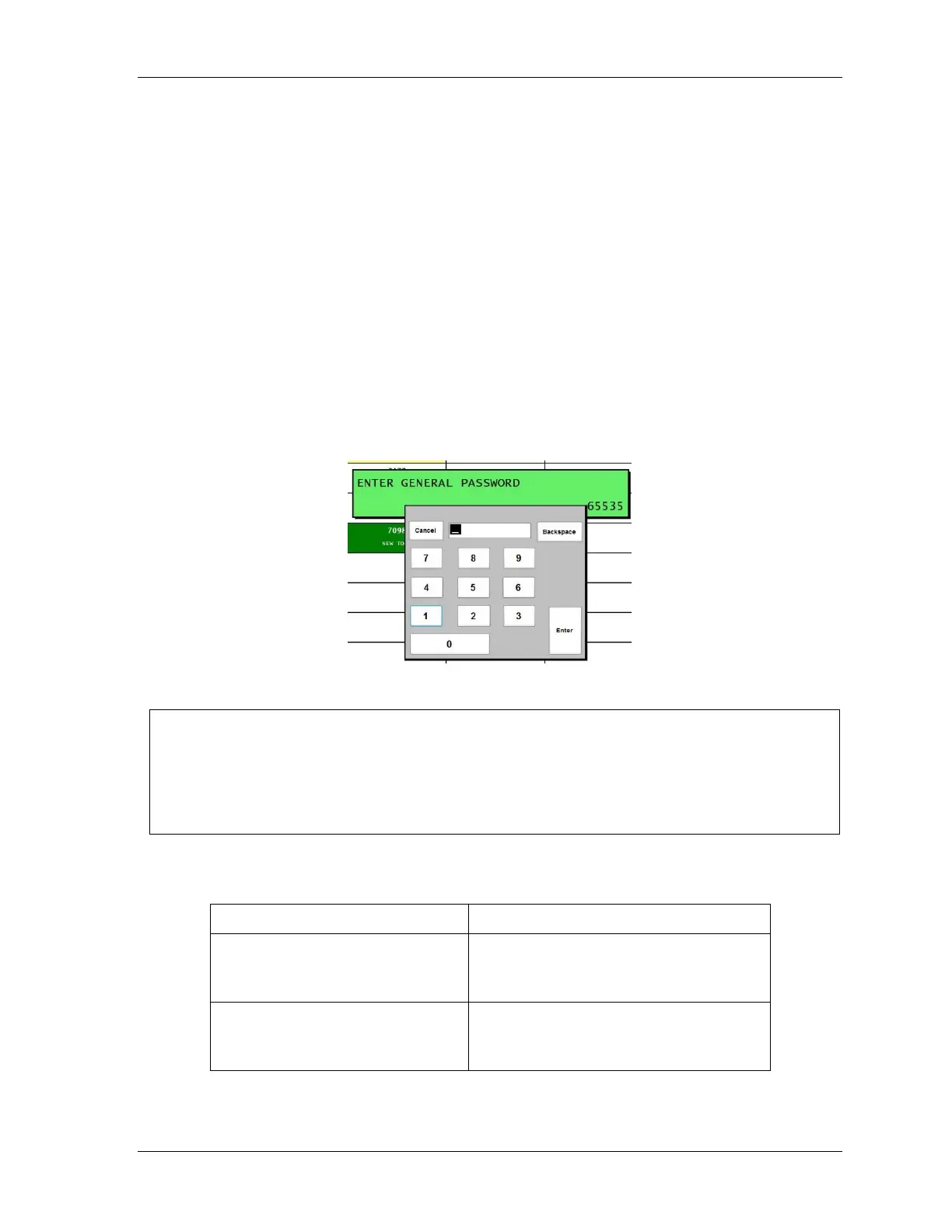
When you attempt to access a menu that is password-protected, SmartPAC PRO displays a window,
Figure 3-9, that asks you to enter your password.
Figure 3-9. “Enter Your Password” Screen
NOTICE
IF YOU FORGET OR DO NOT KNOW YOUR PASSWORD(S)
Call Wintriss Tech. Support at the telephone number on the cover of this manual. Give the Tech.
Support person the 5-digit number from the “Enter your password” display. In Figure 3-9, the
number is “65535”.


 To Next Page