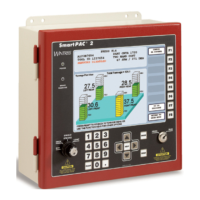
SmartPAC PRO User Manual 1143100
Chapter 7 – ProCamPAC Instructions 201
Chapter 7 – Using ProCamPAC
Programmable Cams
ProCamPAC Programmable Cam Switch.................................................................................... 202
Initialization ................................................................................................................................. 202
SELECT CAM NAMES (ProCamPAC) ............................................................................... 202
AUTO ADVANCE and Slow RPM (ProCamPAC) .............................................................. 204
Calculating the Auto Advance Constant ....................................................................................... 205
Setting Auto Advance Constants and Slow RPM ......................................................................... 205
SET GLOBAL CAMS (Optional) ............................................................................................... 206
ProCamPAC in Program Mode ................................................................................................... 208
Programmable Cam Switch (ProCamPAC) .......................................................................... 209
Selecting a Cam Channel ...................................................................................................... 209
Making an ON/OFF Setting .................................................................................................. 210
Setting Multiple ON/OFF Cycles .......................................................................................... 211
Making a Timed Output Setting ............................................................................................ 213
Making an Auto Advance Setting ......................................................................................... 214
Setting DSV ON Channel Timing ......................................................................................... 215
Deleting Channel Settings ..................................................................................................... 216
Viewing the Cam Summary ......................................................................................................... 217
Viewing Global Cams .................................................................................................................. 217
Run Mode: CAM SWITCH (ProCamPAC)................................................................................. 218
Viewing Cam Timing ............................................................................................................ 220
Viewing the Global Cam Summary ...................................................................................... 221
Viewing the Cam Summary .................................................................................................. 221
NOTICE
OPTIONAL MODULES PROCAMPAC AND DIPROPAC INCLUDED IN MANUAL
When you order your SmartPAC PRO, you may include the DiProPAC die protection and/or
ProCamPAC programmable cam switch option. This manual includes instructions for installing and
using both modules. Remember that they are options and might not be included in your system.
If you ordered SmartPAC PRO with other optional modules such as AutoSetPAC load monitor or
ProPAC process monitor, refer to the user manual for that option for complete details on its
installation and use.
When the ProCamPAC option is installed, SmartPAC PRO provides cam timing for feed, pilot
release, air blow-off, and other press equipment. ProCamPAC also includes global cams for press
control functions, an ON WITH DSV cam type, and multiple on/off cycles per cam.



 To Next Page