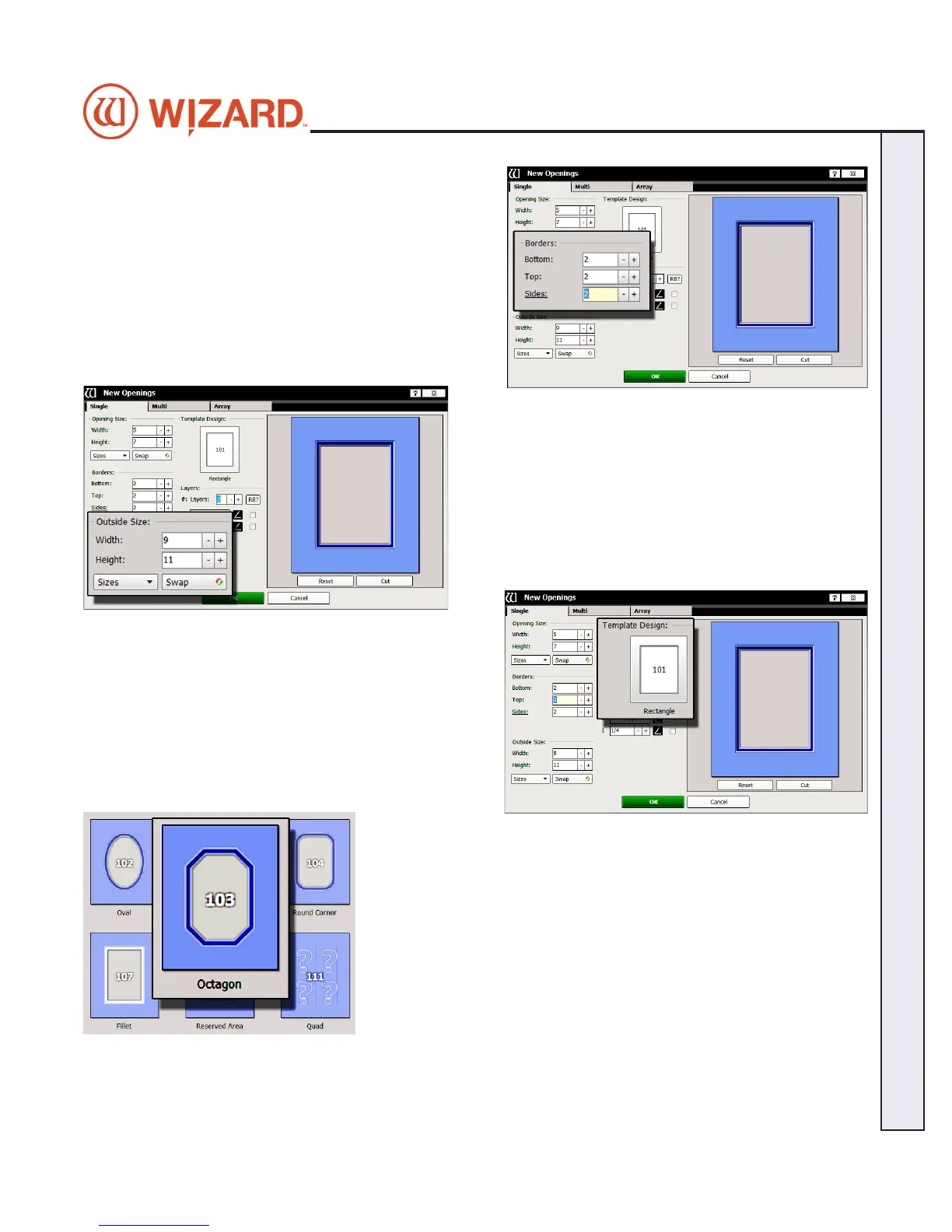
Borders
4. Enter 2 (approx.
5 cm) for the bottom, top and side
mat border widths.
Outside Size
5. Make sure outside size is 9x11 (approx.
23x28 cm). Don’t
Click OK yet.
If opening size and borders are entered rst, the program
automatically calculates the outside size when tabbing out
of the borders eld.
Select Template
6. Click on the template thumbnail under template design.
7. Template library opens.
Note: There are several pages of templates. Click
on one of the numbered tabs to see a new page.
8. Click on new template thumbnail to select it.
9. The new template is displayed.
20-34304-1A GettingStartedManual9000zFrameShop
04/05/19
17
Wizard CMC Model 9000z Hardware and Software Getting Started Manual
Wizard™ CMC Model 9000z Hardware and Software Getting Started Guide


 To Next Page