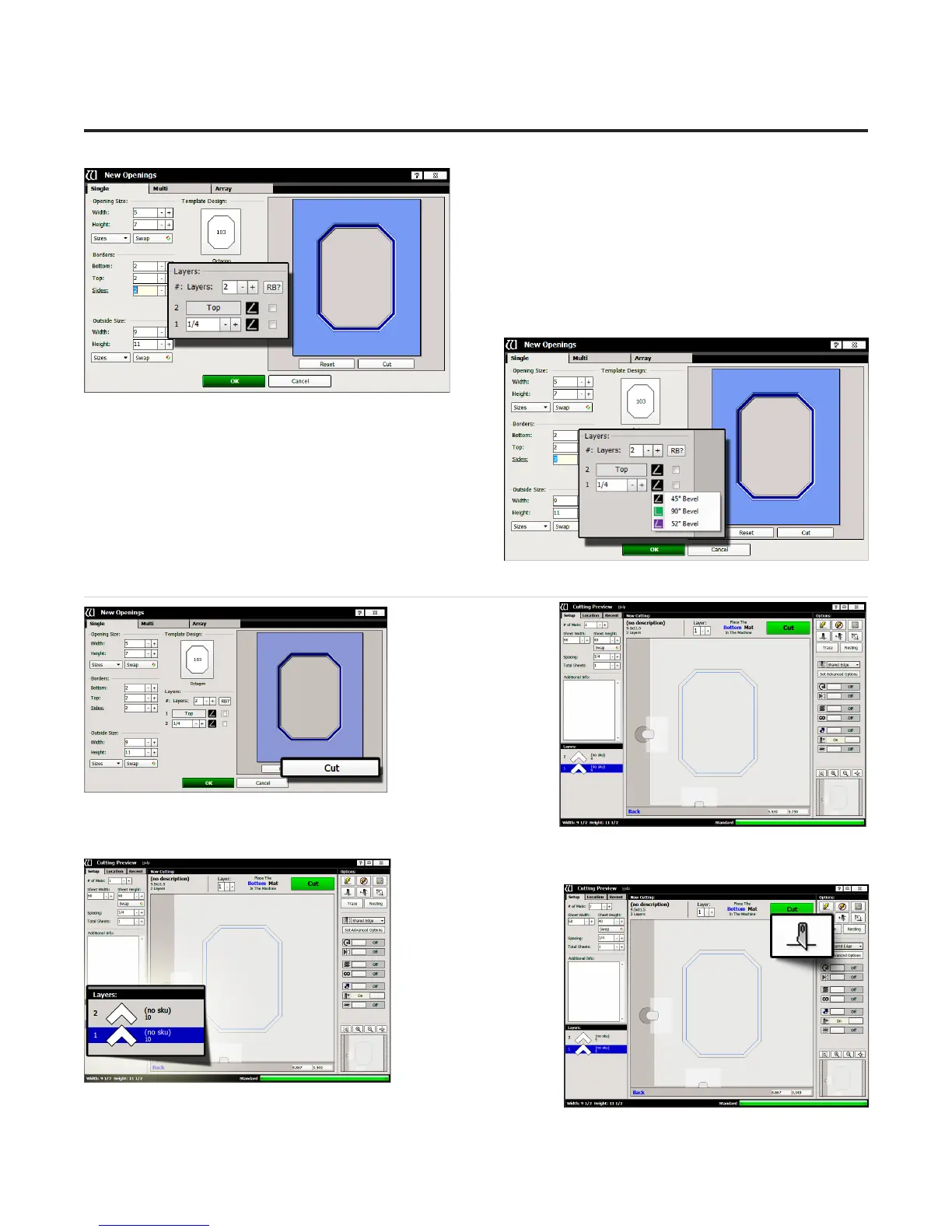
Layers
10. Select the number of layers desired for this project.
Leave it at the default of 2 layers.
Cartridge Selection
11. Click on the cartridge icon and select the desired
cartridge for this layer. For this project, leave it at the
default cartridge, which is the 45° cartridge.
NOTE: Cartridges not currently available will be
greyed out.
Go to Cut Preview to Cut the First Mat
1. Click Cut on
the New Openings
Screen to take design
to the Cut Preview.
Blade Depth Settings
1. Select the desired
layer on the Cut
Preview Screen.
2. Click on the Blade
Depth button.
18
Wizard™ International, Inc., 4600 116th St. SW, Mukilteo, WA 98275 888/855-3335 Fax: 425/551-4350 wizardint.com
20-34304-1A GettingStartedManual9000zFrameShop
04/05/19
Wizard™ CMC Model 9000z Hardware and Software Getting Started Guide


 To Next Page