6. Head will align to the home position.
Adjusting the Air Pressure for Denser Matboard
See “Adjusting Clamps for Zero Waste” on page 21for more information.
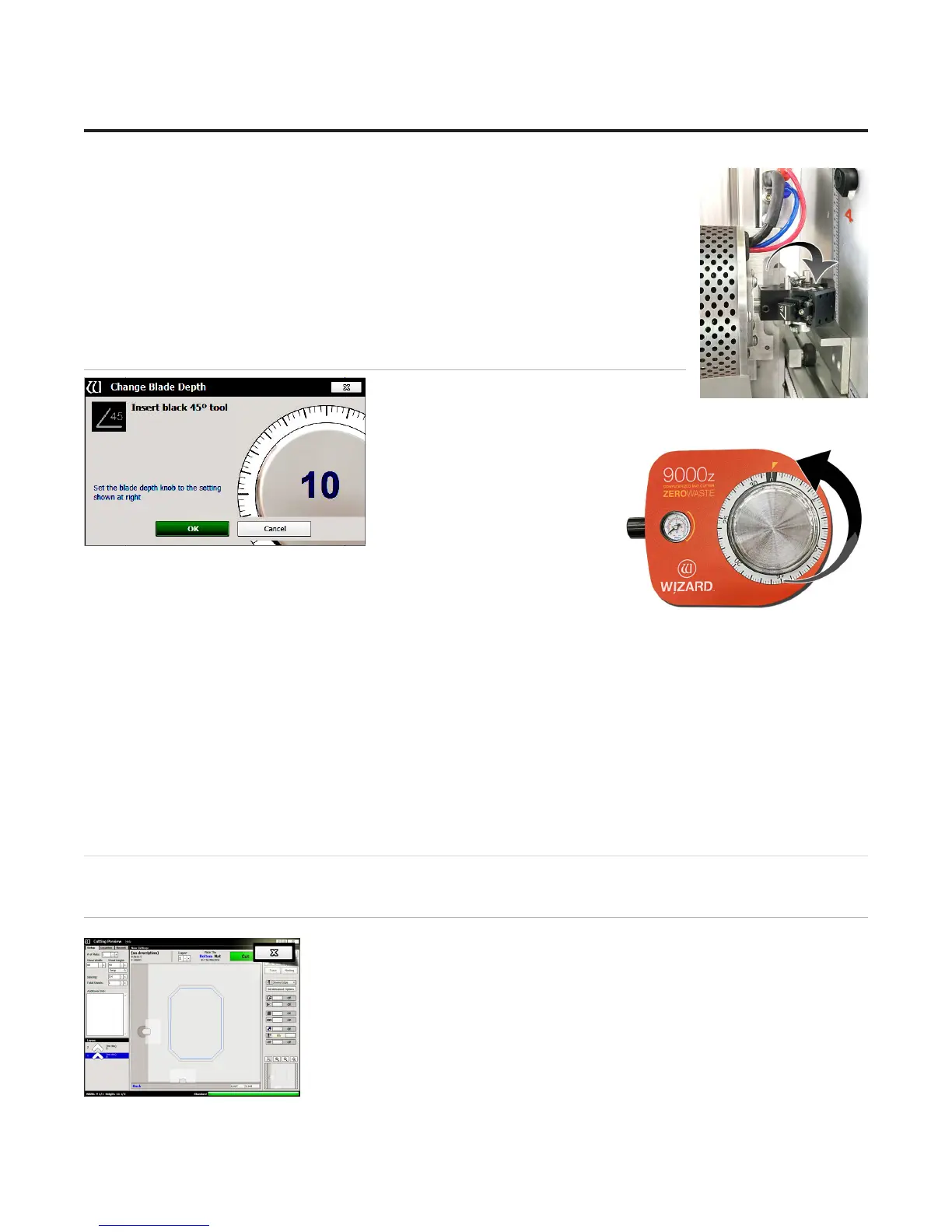
Insert Blade Cartridge and Adjust Blade Depth
If the current layer uses a dierent blade
cartridge or is a dierent thickness than the
last layer cut, the user is prompted to change the blade cartridge and/or
the blade depth.
If the current layer uses the same
blade cartridge and the same
thickness as the last layer cut,
the CMC will begin to cut without
further prompt.
1. The 45° blade cartridge and blade have already been inserted, so
change the blade depth by turning the blade depth dial to the requested
depth and click OK on the prompt.
2. The CMC will begin to cut.
After the CMC Has Cut the Mat
1. After the cut has nished, the head will return to the home position, and the foot block will rotate to the aligned
position for access to the blade cartridge. Unless the screen prompts to align the head, do NOT turn the foot block.
2. Remove the matboard from the CMC. The rst mat has been cut.
If The Cut Doesn’t Look Right
See “Troubleshooting” page 29.
Design a Dierent Mat
Select a Different Template
1. Click the “X” on the Cut Preview screen to close this screen and return to the
New Openings Screen.
The current design can be easily altered for the next project by changing the size
and other parameters.
This next project is an oval instead of an octagon.
22
Wizard™ International, Inc., 4600 116th St. SW, Mukilteo, WA 98275 888/855-3335 Fax: 425/551-4350 wizardint.com
20-34304-1A GettingStartedManual9000zFrameShop
04/05/19
Wizard™ CMC Model 9000z Hardware and Software Getting Started Guide


 To Next Page