14
First initialisation
The terminal is provided to you in a non-cong-
ured state and must be congured to be opera-
ble. Please read the conguration sheet deliv-
ered with the device. It contains all specic data
for your terminal. The terminal conguration pro-
cedure is described in detail in the conguration
sheet. Initialisation requires several minutes.
Wait until the terminal displays the welcome
message.
Subsequent initialisation
Should it be necessary to re-initialise a device
for any reason, proceed as outlined on page 15.
3 Start-up
3.1 Installation
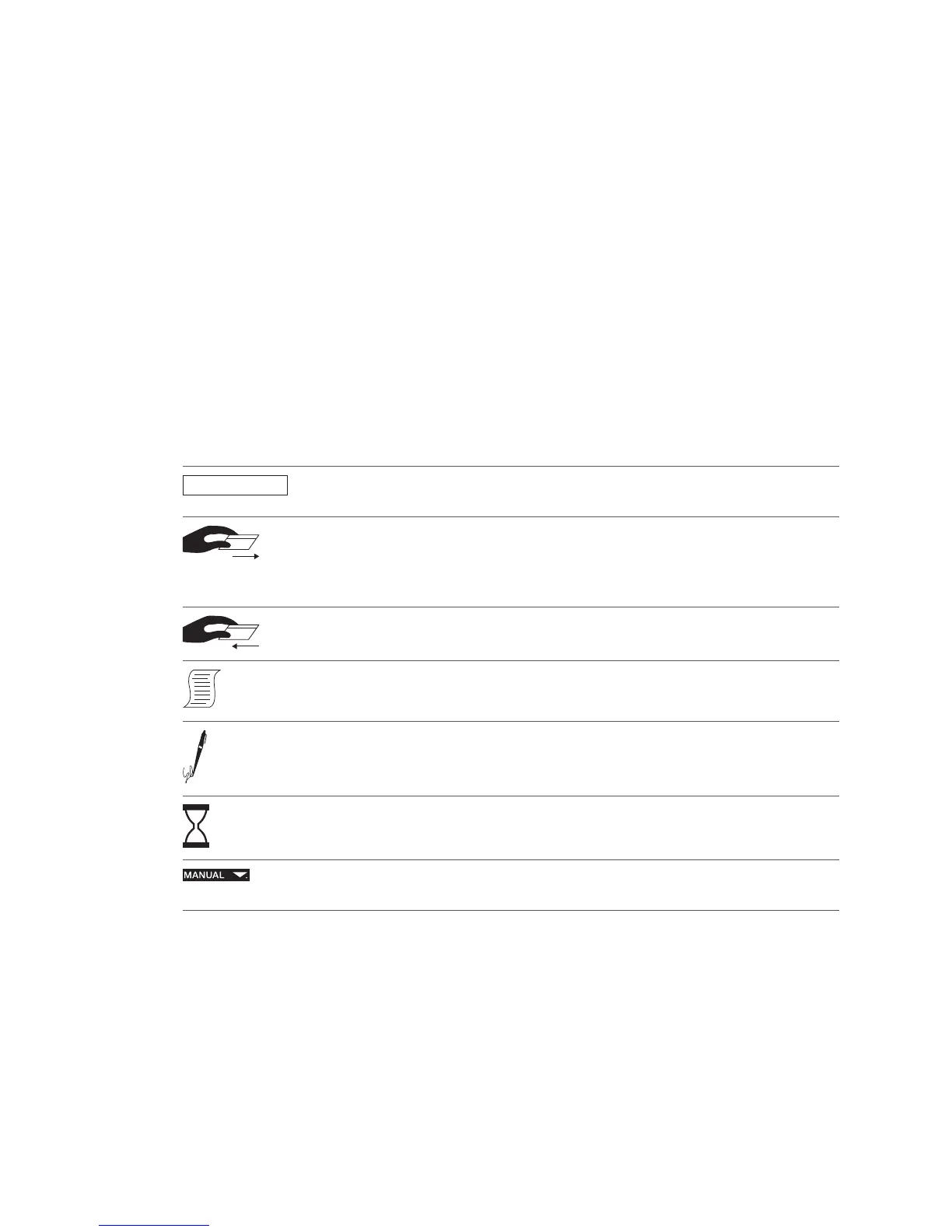
Key
The following symbols are used in the descrip-
tions in this document.
..............
Function selection by choosing the corresponding number or using the
cursor and the <OK> button.
Insert card.
Depending on the terminal model, the card must either be pulled through
the swipe reader, inserted into the chip reader or it will be automatically fed
in by the motor reader.
Remove card.
Sales slip printout.
Request the customer’s signature.
Processing and/or communication.
Manual entry of the card data.
Press function button.



 To Next Page