34
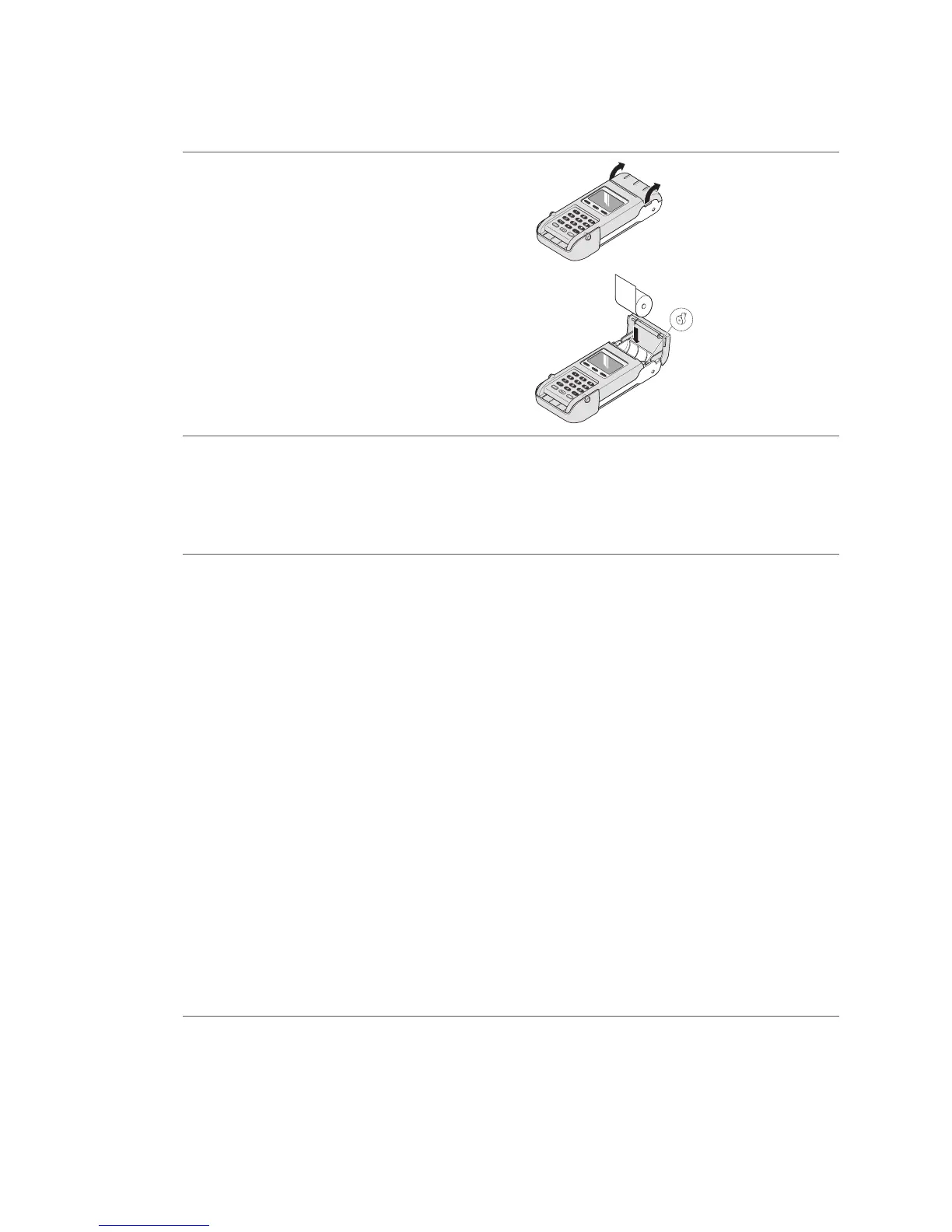
1. Tilt the cover backwards using the push
buttons.
2. Replace the old roll with a new one.
Close the cover.
Make sure the roll is inserted in the right
direction!
1
2
9.5 Changing the paper roll
Troubleshooting
If printing is impossible, check whether the
paper roll has been inserted backwards.
Ordering paper rolls
– at www.six-payment-services.com
– using the enclosed order form
– call 0848 00 0112
Do not pull the paper out if the printer cover
is closed.
Your personal contact: www.six-payment-services.com/contact
SIX Payment Services Ltd
Hardturmstrasse 201
8005 Zurich
Switzerland
SIX Payment Services (Europe) S.A.
10, rue Gabriel Lippmann
5365 Munsbach
Luxembourg
110.0151.02 CHE_EN/04.2012



 To Previous Page