18
COMPANY EXAMPLE
EXAMPLE STREET 88
1234 EXAMPLE
DD.MM.YYYY HH.MM.SS
Purchase
Processing company
XXXX 123456 1234 2
Expiry date: MM.YY
Trm -Id: 12345 678
Akt-Id: 00000001
AID: A99999999999
Trx. Ref-No: 99999999999
Trx. Seq-Nr.: 12345
Aut. Code: 123456
EPF: ABC123ABC123ABC
Total-EFT USD: 123.45
5 Functions
5.1 Cashier: purchase
<1> Purchase
The purchase is the most common transaction
type in electronic payment trafc.
– Depending on the CCC, minimum/maximum
amounts, day limits, etc. may vary.
– The “manual recording of card data” and
“sub sequent cancellation” functions are
either activated or deactivated, depending on
the CCC.
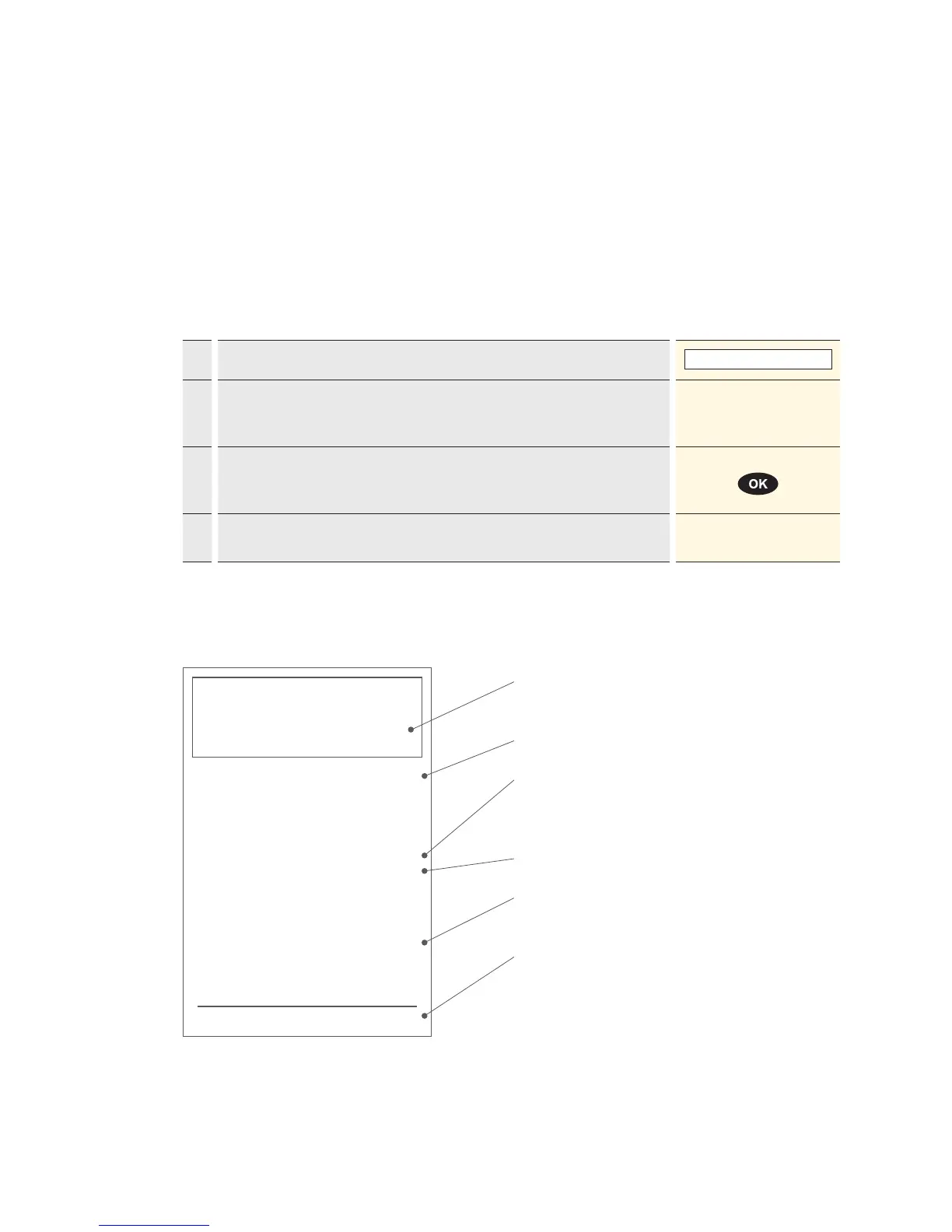
Sample sales slip: certain elds may differ
according to the purchase type.
Your company data that will be printed out on the
sales slip.
Transaction date and time.
Customer card information: certain digits are
shown with an X for data protection (depends on
the CCC).
Customer card expiry date.
Transaction information for unambiguous identi-
cation of the transaction.
Amount
Cashier handling
1. Press “1” to activate the “Purchase” function.
1 : Purchase
2.* If the “foreign currency” function is activated on your terminal, you must
select the desired currency.
* Menu appears only if two or more currencies are activated.
<Currency>
3. Enter the amount and confirm with <OK>.
The amount must be separated with a decimal point.
For amounts below 1, a zero “0.” must be entered first.
Amount
4. Proceed with card processing as detailed on page 20 and 21, or record
manually as detailed on page 19.



 To Next Page