18
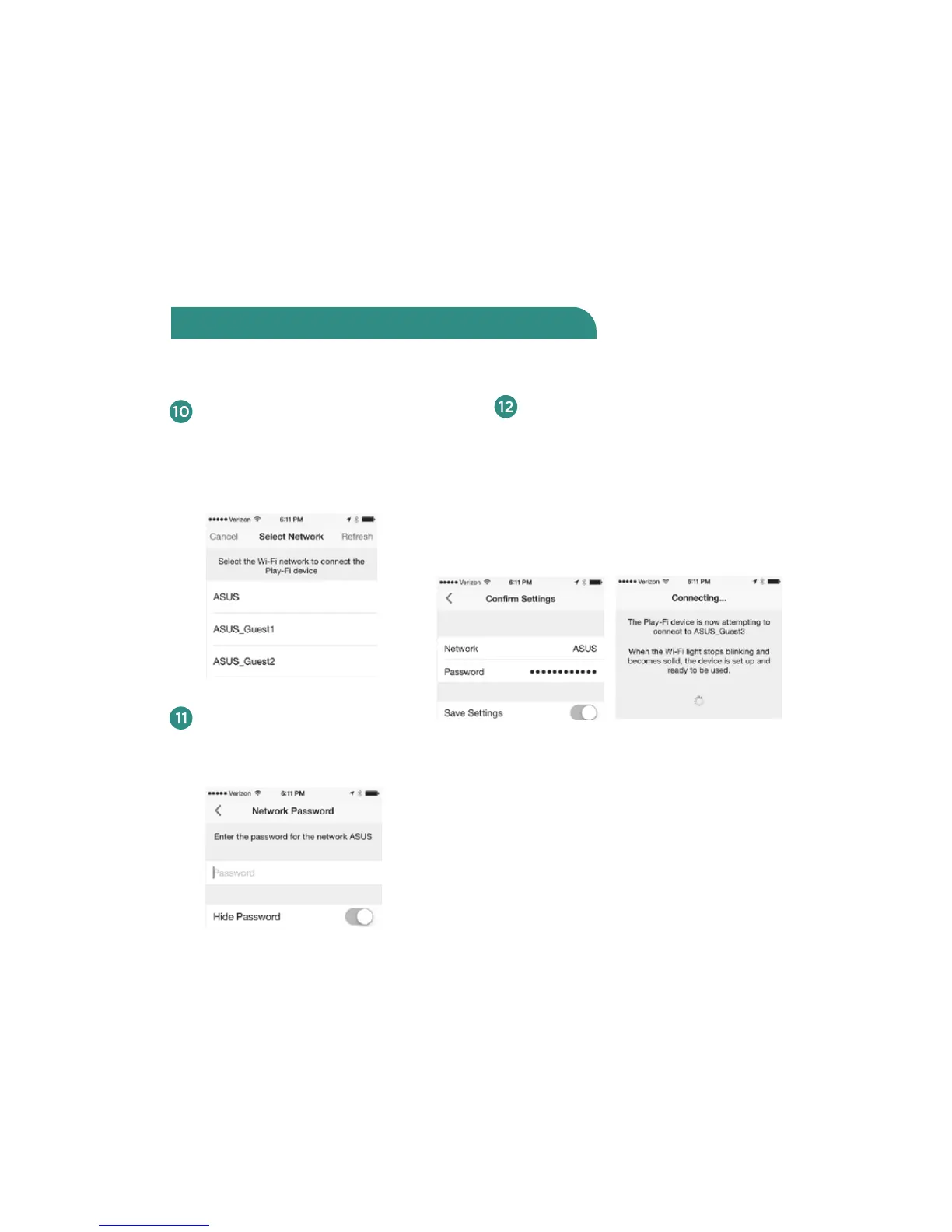
Return to the Play-Fi App. The
“Select Network” screen will
appear. Select the network you
want to use for streaming music
to your V5US.
Once you enter your password — or
if your network does not require a
password — the “Confirm Settings”
screen will appear. Touch the blue
Set-Up button at the bottom of the
screen. The iOS device will then
connect to your V5US through your
WiFi network.
If your network requires a
password, you will be asked to
enter it next.
After connecting, your Wren V5US
may perform a software update; this
update may take several minutes.
During the update, do not unplug
your speaker, turn o your iOS device
or leave the network.
Connect using the Play-Fi iOS App (cont.)



 To Next Page