Settings Cond 7310
28 ba75933e04 06/2013
6Settings
6.1 Measurement settings
6.1.1 Changing the settings for conductivity measuring cells
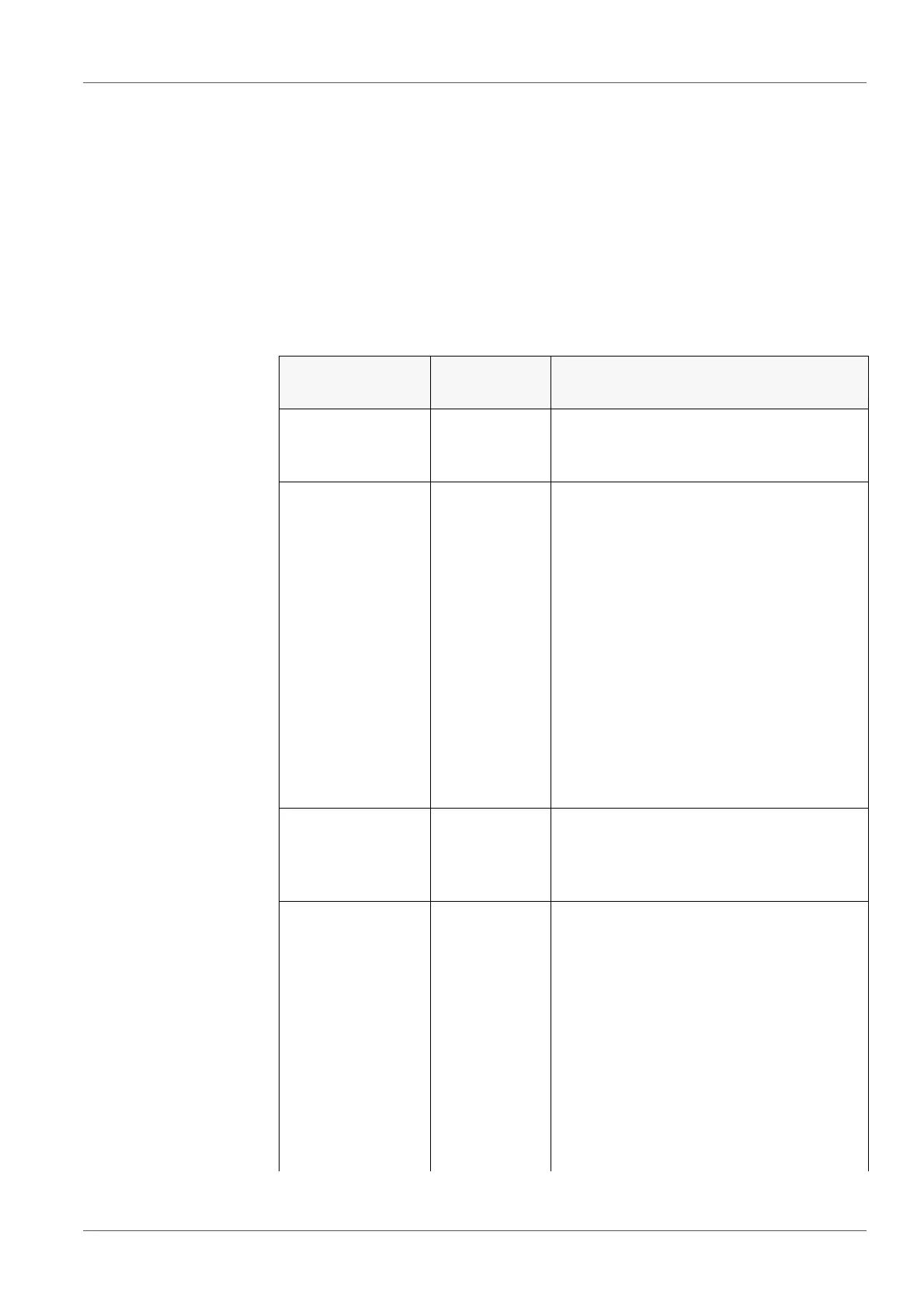
The settings are made in the Measurement menu for the measured parameter,
conductivity. To open the settings, display the required parameter in the mea-
sured value display and press the <F1>/[menu] or <ENTER> key. After com-
pleting the settings, switch to the measured value display with <M>.
Default settings are printed in bold.
Menu item Possible
setting
Description
Calibration /
Calibration
record
- Displays the calibration record of the
last calibration.
Calibration /
Calibration data
storage /Display
- Displays the calibration record.
Further options:
Scroll through the calibration
records with <><>.
Output the displayed calibration
record to the interface with
<F2>/[USB output].
Output all calibration records to the
interface with <F2__>[USB output].
Quit the display with <F1>/[Back] or
<ENTER>.
Switch directly to the measured
value display with <M>.
Calibration /
Calibration data
storage /Output
to USB
- Outputs the calibration records to the
interface.
Calibration /
Serial number
(sensor)
- Entry of the serial number of the con-
nected sensor.
The serial number is output in the cali-
bration record.
Change the contents of the high-
lighted position with <><>.
Go to the next position with
<F2>/[].
When the serial number has been
completely entered, confirm with
<ENTER>.



 To Next Page