Operation LF 170
96
ba54104e09 11/2010
4.5.2 Setting table of parameterization
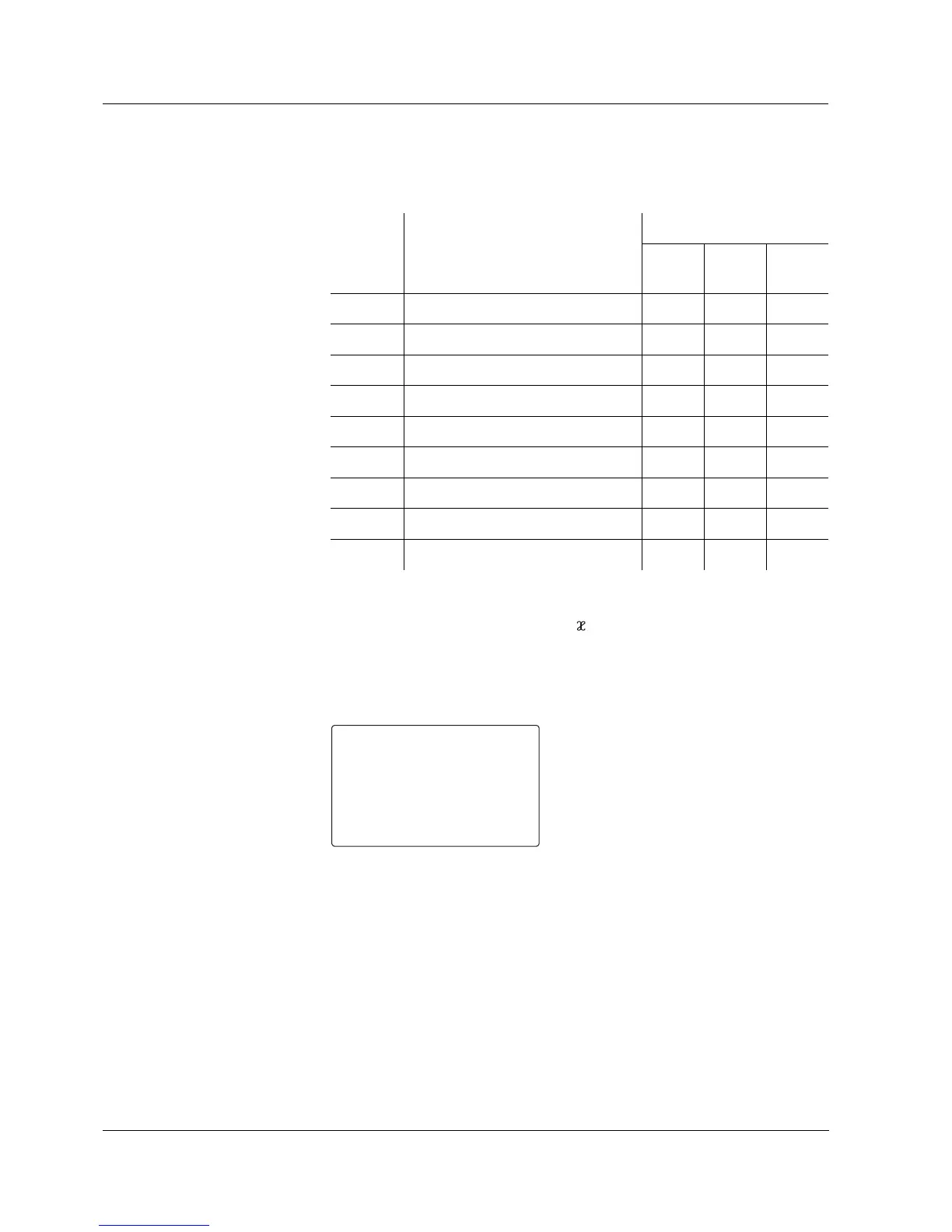
Overview of the settings
(main level)
x Menu appears for the corresponding instrument variant
1)
For relays that are configured as limit indicators
2)
Menu only appears if the conductivity ( ) measuring mode is selected
General operating
instructions
The starting point for the settings is the start display of the
parameterization level (see section 4.5.1):
Operation:
z Navigate in the main level to the next or previous setting with
<UP><DOWN>. The entry level with further settings is reached by
subsequently pressing <ENTER>.
z In the entry level select the desired value from the selection in each
case with <UP><DOWN> and confirm this with <ENTER>. This puts
the setting into effect and you go to the next setting or return to the
main level.
z Certain settings or choices depend on the instrument variant or
specific configuration settings. Settings that are not available will be
Display Description
Instrument version
Stan-
dard
RT RT RS
Pr1 Current output 1 x x x
Pr2 Current output 2 x x
PL Relay limits
1)
xx
PIF RS 485 interface x
PCd Password protection x x x
Pt Temperature balancing x x x
Ptr Reference temperature
2)
xxx
PtF Temperature compensation
2)
xxx
PCS Timer function x x
Switch to the first setting of the
main level with <ENTER>.


 To Next Page