Installation IQ SENSOR NET MIQ/T2020
3 - 2
Note
For the temporary docking of a mobile terminal, do not remove the
whole contact cover. Leave it hanging on the side of the MIQ module.
After removing the terminal, replace the cover again to protect the
contacts.
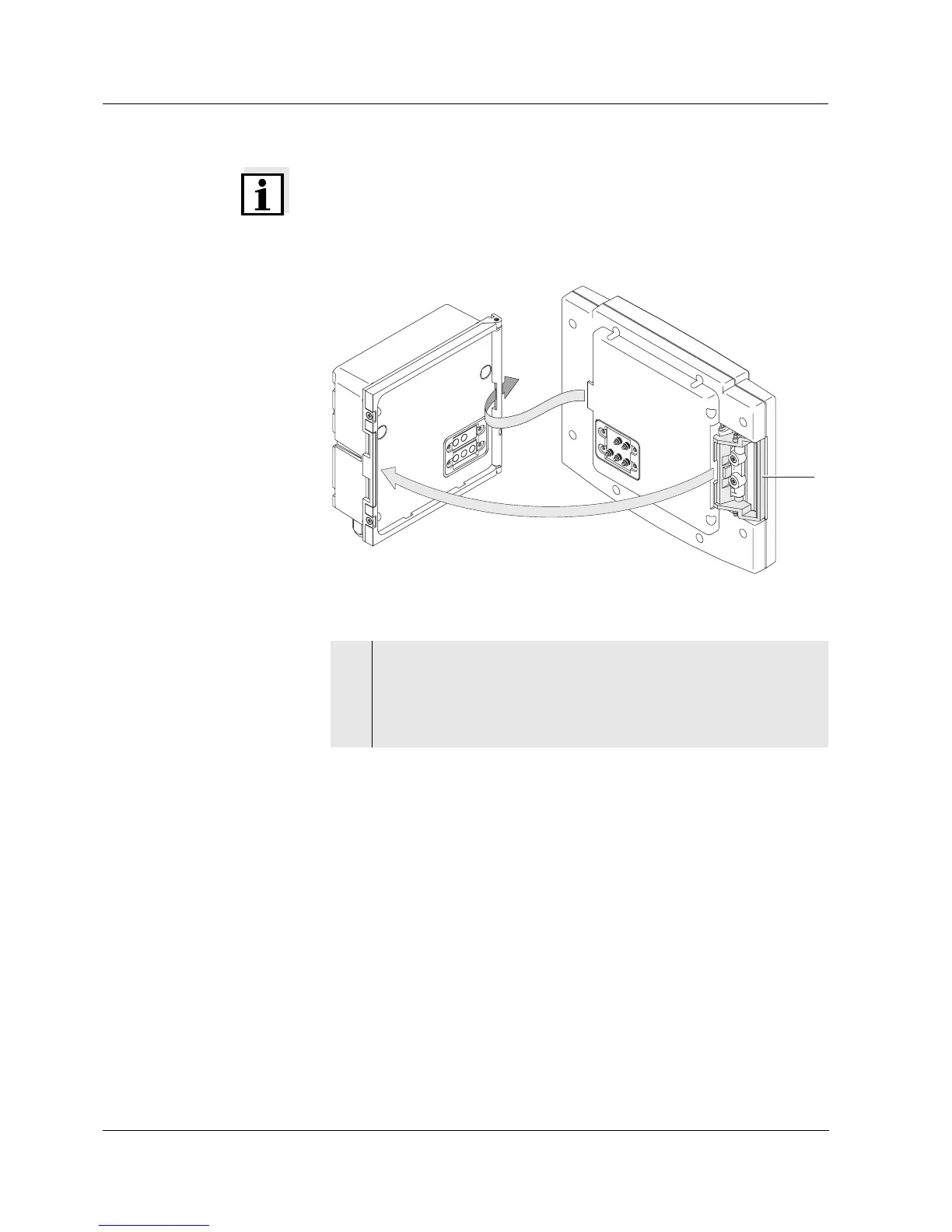
Fig. 3-2 Docking the terminal
Removing the terminal To remove the terminal, press the locking lever and pull the terminal
forwards.
2 Place the terminal on the module lid. To do so, insert the flap
on the back of the terminal into the slot on the door hinge of the
module. Then, pull back the interlocking lever (pos. 2 in Fig. 3-
2), place the terminal completely on the module and release
the interlocking lever.
2



 To Next Page