Operation IQ SENSOR NET MIQ/T2020
4 - 8
4.2.2 Entering text or numerical values
You can assign names to sensors, outputs, terminals and locations.
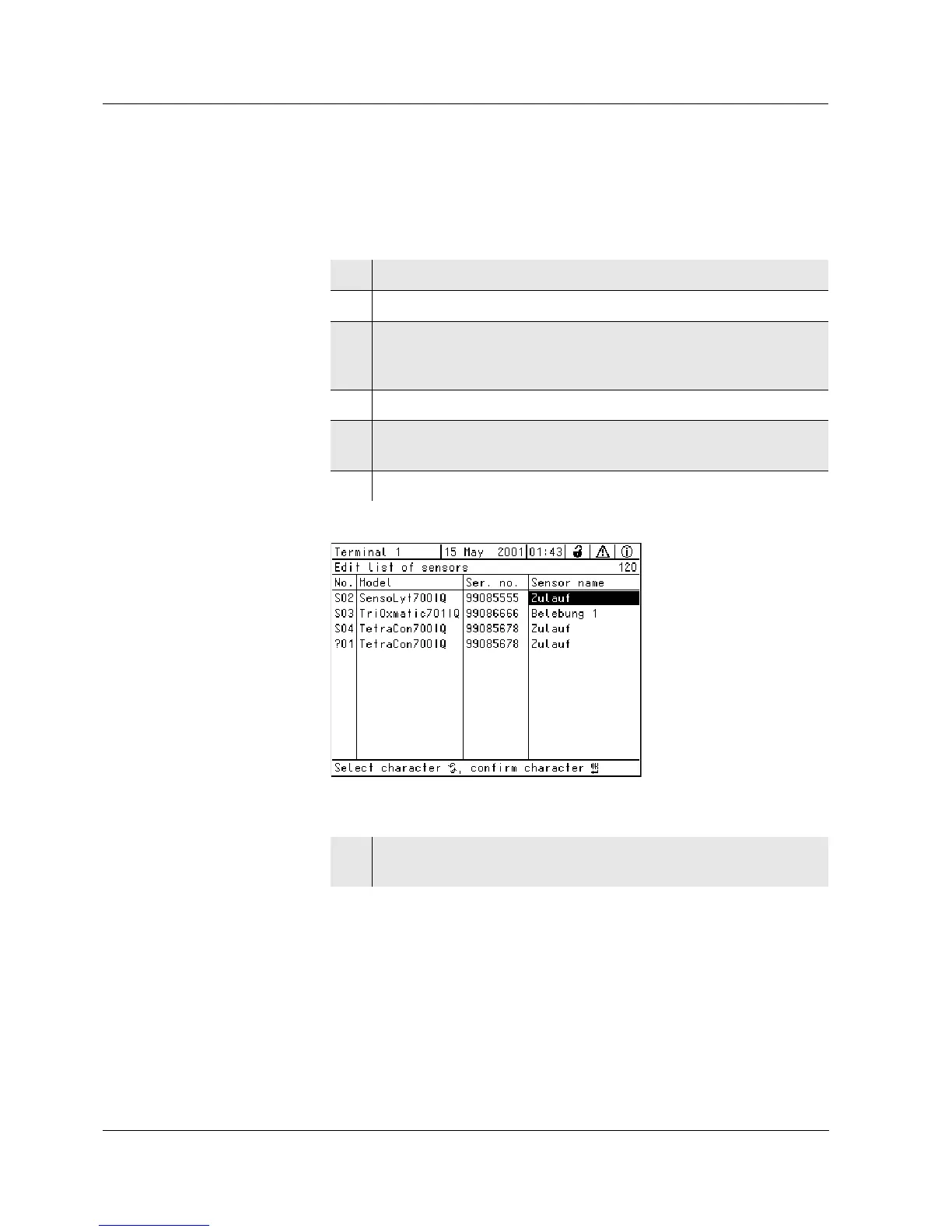
Example: Entering a sensor name:
Fig. 4-5 120 - Edit list of sensors
1 Open the Settings/Einstellungen menu with s.
2 Select the Edit list of sensors menu item with
d.
3 Confirm the menu item (e.g.Edit list of sensors) with g.
The display (e.g.Edit list of sensors) opens. A column is high-
lighted.
4 Select the Sensor name column with
d.
5 Confirm the Sensor name column with g.
A sensor name is highlighted.
6 Select a sensor name with
d.
7 Confirm the selection with g.
The name of the selected sensor is edited.



 To Next Page