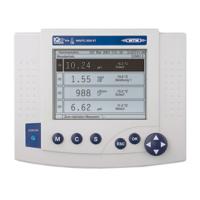
IQ SENSOR NET MIQ/T2020 Installation
3 - 3
3.2.2 Docking the terminal on the IQ SENSOR NET S184 system
A free module is required to dock a mobile MIQ/T2020 terminal. With
the IQ S
ENSOR NET S184 system, there are the following options to
gain a free module:
l Expanding the system by an MIQ module, e.g. MIQ/IF232
l Removing the MIQ/CR3 module from the preassembled MIQ/S184
module stack and mounting it separately (distributed mounting).
Materials required
l 1 x SNCIQ or SNCIQ/UG connecting cable
l Wire end sleeves for 0.75 mm
2
wire cross-section with matching
crimping tool
l 1 x cable gland with seal (scope of delivery of MIQ module).
Tools
l Cable stripping knife
l Wire stripper
l Phillips screw driver
l Small screw driver.
Note
General instructions concerning the system expansion and mounting
are given in the system operating manual.
Removing the MIQ/CR3
from the MIQ/S184
module stack and
mounting it separately
1 In the case of process control via
l the MIQ/CR3 module
l the MIQ/IF232 module (with data server),
bring all instruments used for process control into a secure
condition (e.g. activate manual control).
2 Disassemble the MIQ/CR3 module from the IQ S
ENSOR NET
S184 system.
3 Disassemble the contact carriers on the back of the MIQ/CR3
module.
4 Mount the MIQ/CR3 separately (distributed mounting).
5 Mount the MIQ/C184 module on the MIQ/PS module.



 To Next Page