Operation IQ SENSOR NET MIQ/T2020
4 - 2
4.1.1 Overview of the operating elements
This section gives basic information on the operation of the IQ S
ENSOR
N
ET system via the MIQ/T2020.
The terminal is equipped with a large display for the clear presentation
of current measured values, the graph of measured values, status dis-
plays and message texts.
The IQ S
ENSOR NET system is operated using the 5 keys
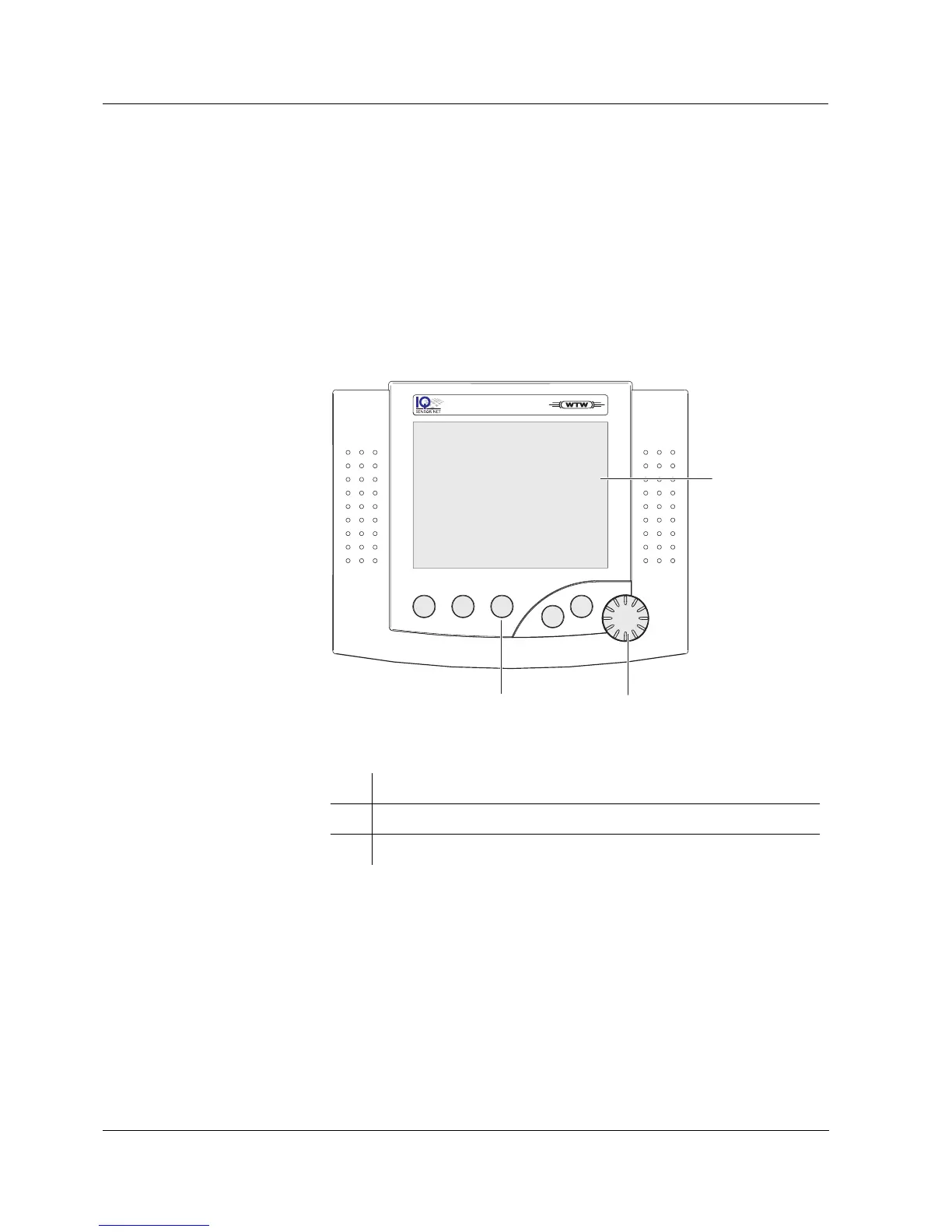
m,c,s,e,g and the rotary switch d.
Fig. 4-1 View of the MIQ/T2020 terminal
1 Display (see section 4.1.2 DISPLAY)
2 Rotary switch (see section 4.1.4 R
OTARY SWITCH)
3 5 keys
m,c,s,e,g (see section 4.1.3 KEYS)
1
32
C
M
S
ESC
OK
MIQ/T2020
TERMINAL



 To Next Page