Settings/Setup IQ SENSOR NET MIQ/T2020
5 - 2
5.2 Terminal settings
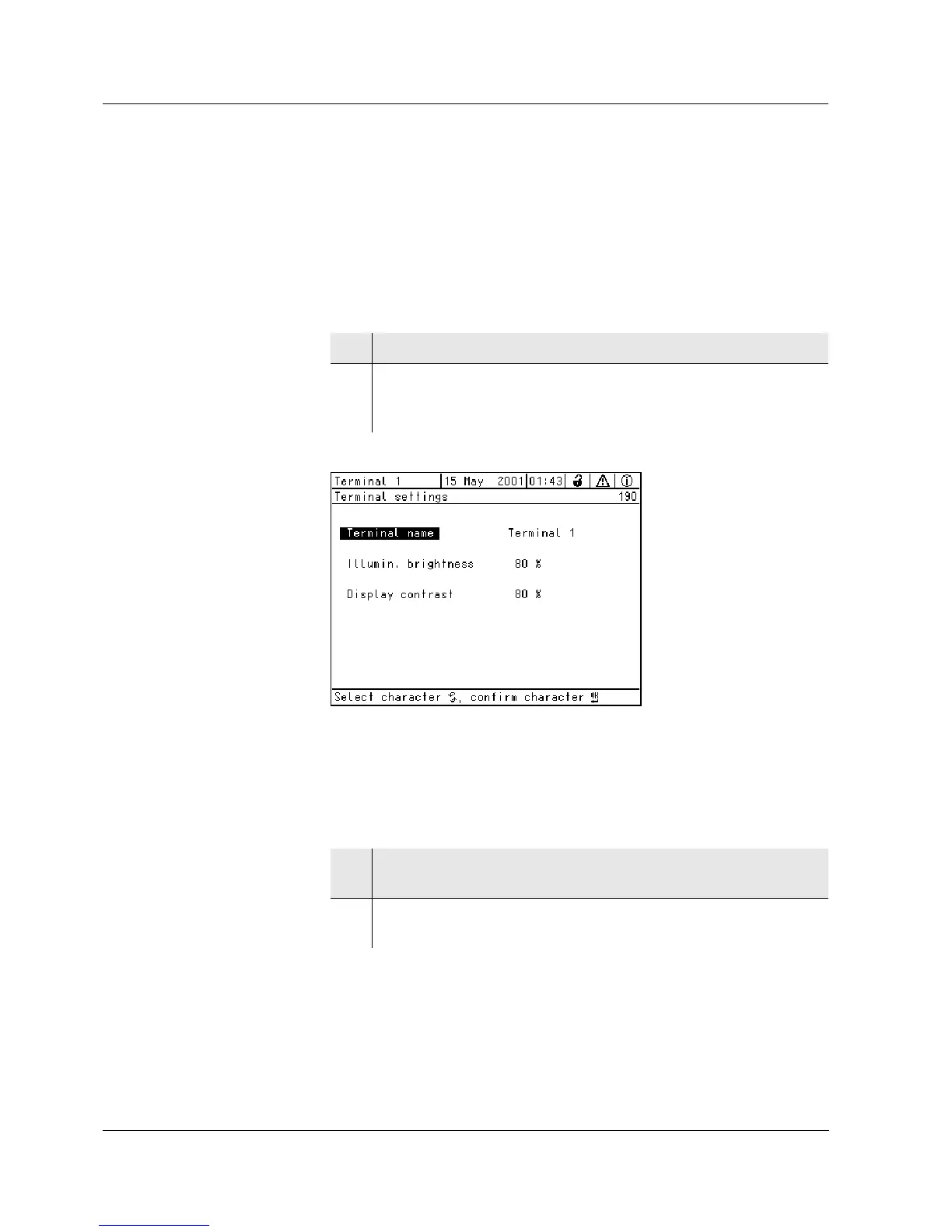
The terminal settings include:
l Terminal name, user-defined
l Illumin. brightness
l Display contrast
Bild 5-2 190 - Terminal settings
Terminal name The name of the terminal appears in the top left corner of the display.
15 characters are available for the name.
1 Open the Settings/Einstellungen menu with s.
2 Select the Terminal settings menu item with
d and confirm
with
g.
The Terminal settings display opens.
3 Select the Terminal name menu item with d and confirm with
g.
4 Enter the terminal name with
d and g and confirm with g
(see also section 4.2.2).



 To Next Page