IQ SENSOR NET MIQ/T2020 Operation
4 - 7
4.2.1 Navigating in menus, lists and tables
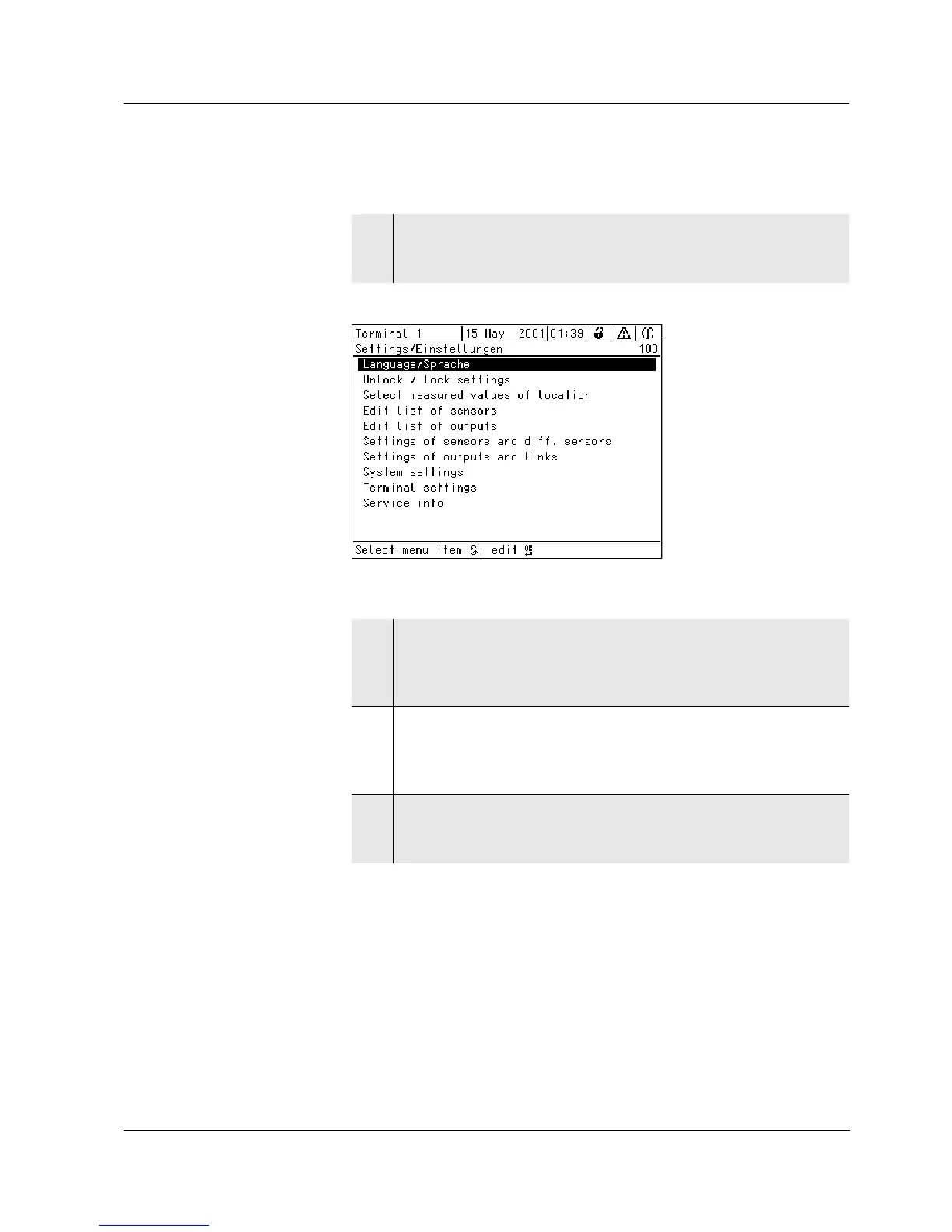
Fig. 4-4 100 - Settings/Einstellungen
1 Open the Settings/Einstellungen menu with s.
Menus appear on the display in the form of a list, e.g. the
Settings/Einstellungen menu shown here.
2 Select a menu item (e.g. System settings) with d.
Move the highlighting (reverse video display, black back-
ground) in the list of menu items by turning the rotary switch
d.
3 Confirm the menu item (e.g. System settings) with
g.
The display (e.g. System settings) opens.
Confirm the selection and move to a new display by pressing
the
g key.
4 Return to a higher level with e.
or:
Switch to the measured value display with
m.



 To Next Page