IQ SENSOR NET MIQ/T2020 Operation
4 - 3
4.1.2 Display
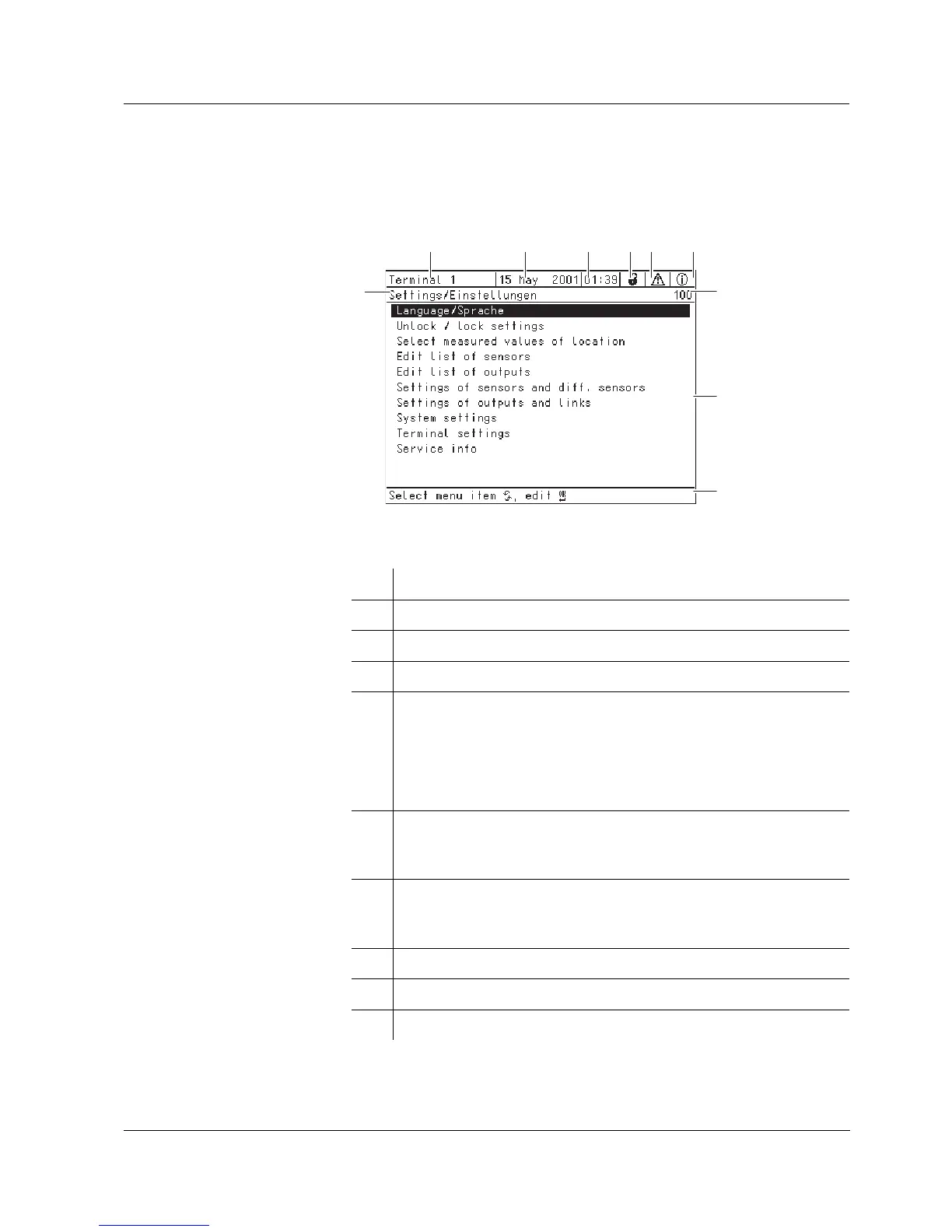
The display contains the following information:
Fig. 4-2 View of the display
1 Name of the display
2 Name of the terminal
3 Date
4 Time
5 Lock safety setting:
a open (settings released)
– System settings can be changed
z closed (settings locked)
– All system settings can only be read
6 Error symbol
h:
If the error symbol flashes, a new or unacknowledged error
message is present in the log book.
7 Info symbol
i:
If the info symbol flashes, a new or unacknowledged error
message is present in the log book.
8 Number of the display
9 Display range for measured values, menus, lists, etc.
10 Help line with operating instructions
2
3
45
7
1
8
9
6
1



 To Next Page