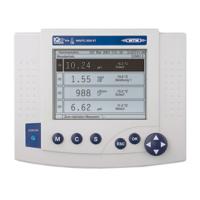
Operation IQ SENSOR NET MIQ/T2020
4 - 6
Note
The selection highlighted with the rotary switch is displayed as white
text on a black background (reverse video).
4.2 General operating principles
The operation of the IQ SENSOR NET is standardized and user-friendly.
l Make a selection with the rotary switch d
– Highlight individual elements in menus, lists and tables, e.g.
menu entries, list elements, columns or fields
– Select a setting in selection fields
– Select a character in text entry fields
l Confirm a selection with the g key.
l Break off an action and change to the next higher level with the e
key.
l Start a calibration procedure with the c key.
l Switch to the settings with the s key.
l Change to the measured value display and break off current actions
with the
m key.
Note
Short operating instructions are given in the help lines on the display.
Examples of the operating principles are given below:
l Navigation in menus, lists and tables (see chapter 4.2.1)
l Entering text and numerical values (see chapter 4.2.2)



 To Next Page