Operational Safety
Phaser® 5550 Printer
1-8
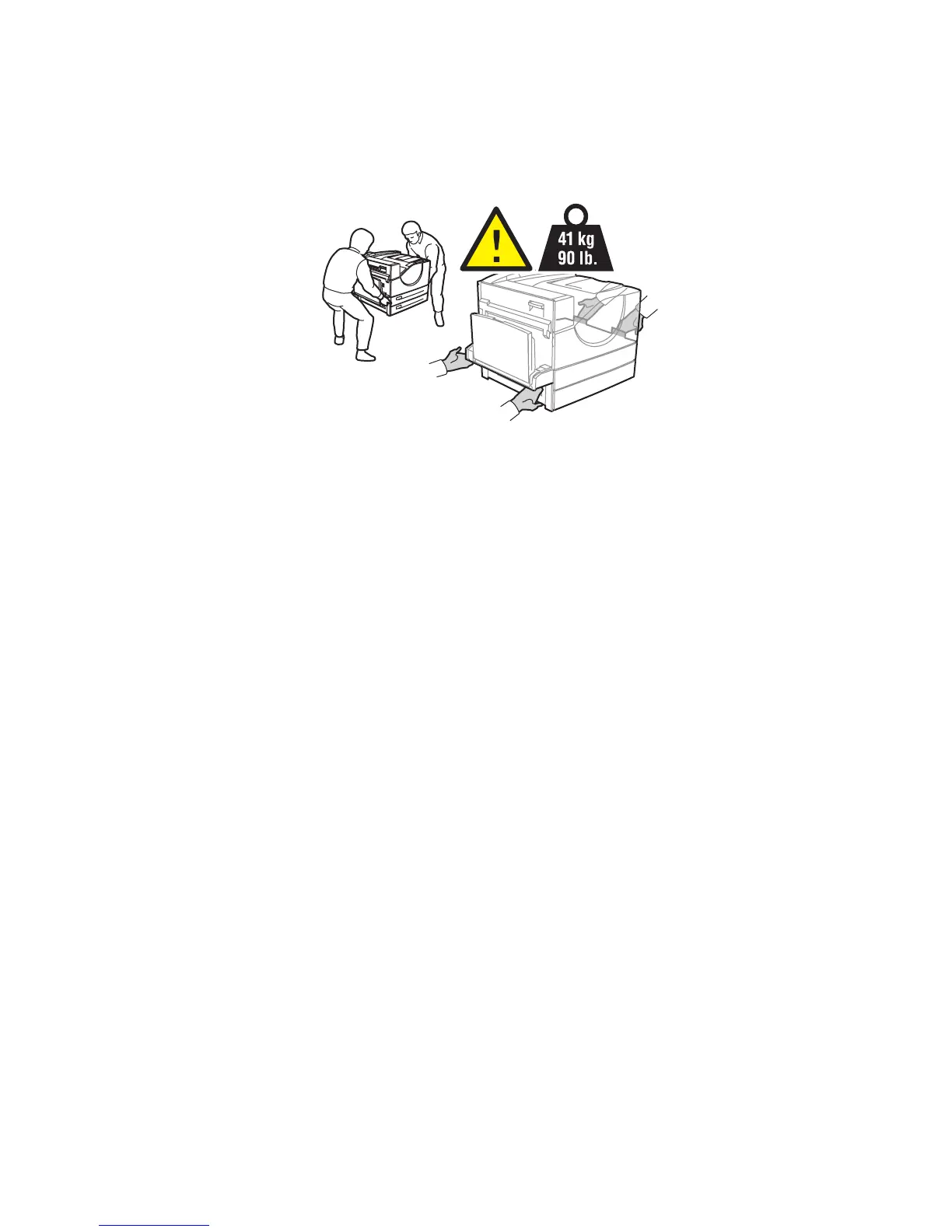
Moving the Printer
■ Always use two people to lift the printer.
■ Always turn off the printer using the power switch and unplug all cables and cords.
■ Always lift the printer from the designated lift points.
■ Do not place any food or liquids on the printer.
■ Failure to repackage the printer properly for shipment can result in damage to the printer
not covered by the warranty, service agreement, or Total Satisfaction Guarantee.
■ Damage to the printer caused by improper moving is not covered by the Xerox warranty,
service agreement, or Total Satisfaction Guarantee.
Note: The Total Satisfaction Guarantee is available in the United States and Canada.
Coverage may vary outside these areas; please contact your local representative for details.
5550-267








 To Next Page