EasyManua.ls Logo

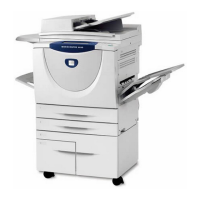
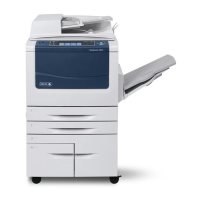
Xerox WorkCentre 5016 - User Manual

Xerox WorkCentre 5016
133 pages
Print Icon
To Next Page IconTo Next Page
Loading...
User Guide
www.xerox.com/support
WorkCentre 5016, 5020/B, 5020/DB
XE3025EN0-1
Downloaded From ManualsPrinter.com Manuals

Table of Contents

Other manuals for Xerox WorkCentre 5016

Questions and Answers

  • M
    Marie PerezSep 8, 2025
    Why does my Xerox All in One Printer say 'The Document Feeder is open'?
    • H
      Heather HaleSep 8, 2025
      The Xerox All in One Printer displays 'The Document Feeder is open' because the Document Feeder Cover is not closed properly. Close the Document Feeder Cover.
  • T
    Theresa BeltranSep 10, 2025
    What to do if my Xerox WorkCentre 5016 says 'Memory is full'?
    • S
      Stephanie LaraSep 10, 2025
      If your Xerox All in One Printer displays 'Memory is full', press the button to cancel the current job. Reload the unscanned documents, and then press the button to resume scanning the remaining documents.
  • A
    Alejandro ScottSep 12, 2025
    What does it mean when my Xerox WorkCentre 5016 All in One Printer says 'A data transmission error occurred'?
    • B
      bethany13Sep 12, 2025
      If your Xerox All in One Printer displays 'A data transmission error occurred', press the button to cancel the job.
  • J
    James CummingsSep 13, 2025
    What does it mean if my Xerox WorkCentre 5016 says 'The machine cannot sense the connection to the Drum Cartridge'?
    • D
      Dorothy JamesSep 14, 2025
      If your Xerox All in One Printer displays 'The machine cannot sense the connection to the Drum Cartridge': * If the drum cartridge is installed, pull it out halfway and push it back in. * If the drum cartridge is not installed, install the recommended drum cartridge.
  • S
    Sheri GarrettSep 15, 2025
    What to do if my Xerox WorkCentre 5016 says 'An internal communication error occurred'?
    • E
      erin99Sep 15, 2025
      If your Xerox All in One Printer displays 'An internal communication error occurred', switch the machine off and on. If the error persists, there is no solution.
  • J
    johnmitchellSep 18, 2025
    What does it mean if my Xerox WorkCentre 5016 All in One Printer says 'The Drum Cartridge that is currently being installed is not supported'?
    • A
      Austin MillerSep 18, 2025
      If your Xerox All in One Printer displays the message 'The Drum Cartridge that is currently being installed is not supported', replace the drum cartridge.

Summary

Before Using the Machine

Safety Precautions

Covers general, electrical, laser, operational, and maintenance safety guidelines for safe operation.

Installing Drivers

Installing Print and Scan Drivers (TWAIN)

Step-by-step guide for installing TWAIN drivers for printing and scanning functionality.

Installing Scanner Application (Button Manager)

Procedure for installing the Button Manager software for enhanced scanning capabilities.

Copying

Basic Copying Procedure

Covers loading documents, clearing features, and canceling copy jobs for basic operation.

Managing Accounts

Printing

Printer Setup and Preferences

Guides on setting up printers, configuring preferences, and specifying custom paper sizes.

Scanning

Troubleshooting

Fault Clearance and Error Resolution

Covers fault clearance, machine diagrams, error codes, and troubleshooting tables for problem-solving.

Maintenance

Consumables Replacement and Management

Instructions for replacing consumables, adding toner, and replacing the drum cartridge.

Xerox WorkCentre 5016 Specifications

General IconGeneral
Print Resolution600 x 600 dpi
Copy Resolution600 x 600 dpi
Fax Transmission Speed33.6 Kbps
Duplex PrintingManual
FunctionsCopy, Print, Scan
Print TechnologyLaser
Print Speed16 ppm
Copy Speed16 cpm
Scan TypeFlatbed
Scan Resolution600 x 600 dpi
Paper Capacity250 sheets
ConnectivityUSB 2.0
Monthly Duty Cycle10, 000 pages
Operating System CompatibilityWindows, Mac, Linux

Related product manuals