Troubleshooting
WorkCentre 7755/7765/7775 Multifunction Printer
User Guide
182
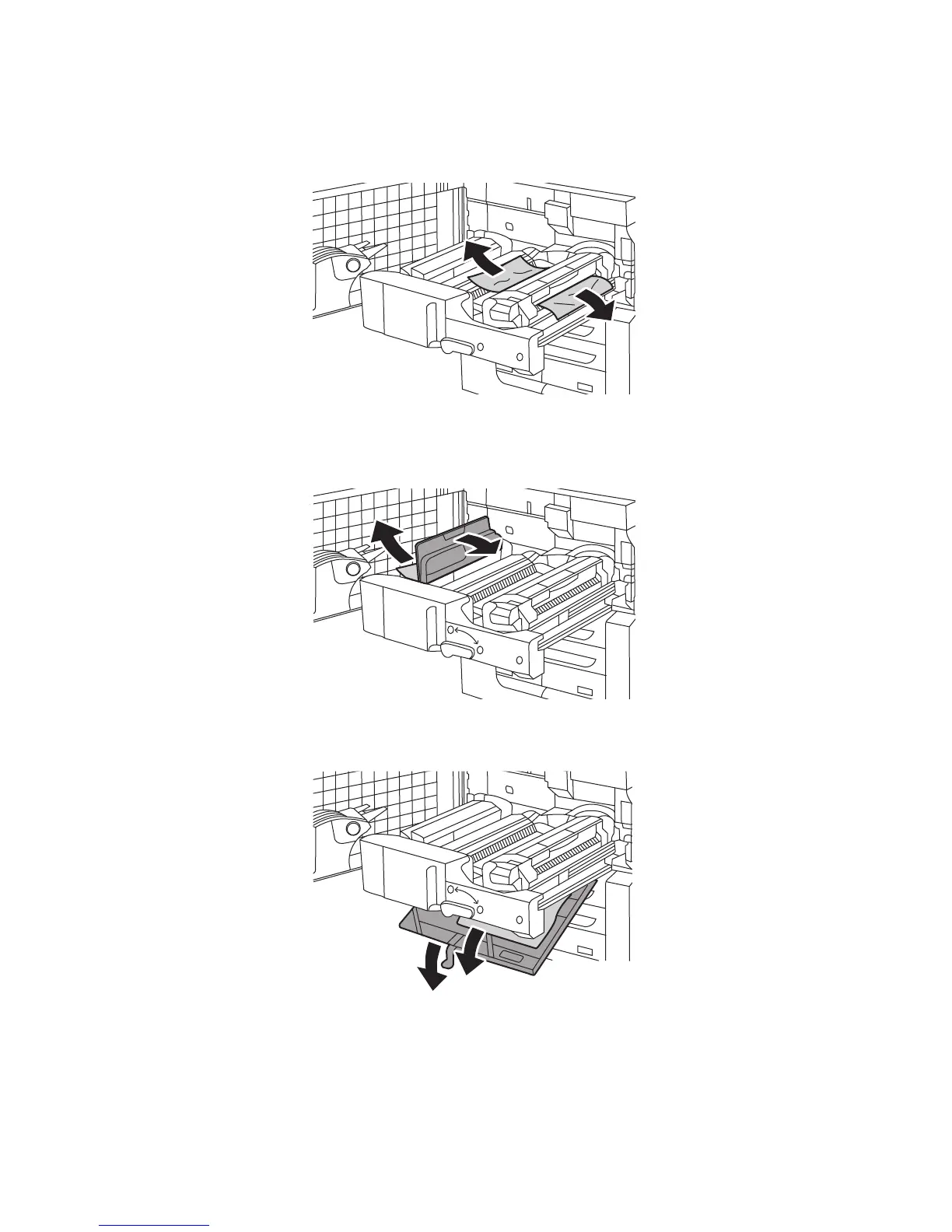
3. Remove the jammed paper.
Note: If the paper is torn, remove all torn pieces from the printer.
4. If jammed paper is not visible, move green handle 2a to the right, remove the jammed paper, then
release green handle 2a.
5. If jammed paper is not visible, pull down green handle 2b and remove jammed paper.
6. Return green handle 2b to its original position.







 To Next Page